
In order to process your payments through Bitwage you should integrate Bitwage with WebWork and import the existing members in Bitwage to the workspace. To enable this integration you should:
- Go to Integrations
- Find Bitwage from the Finance section and click Enable
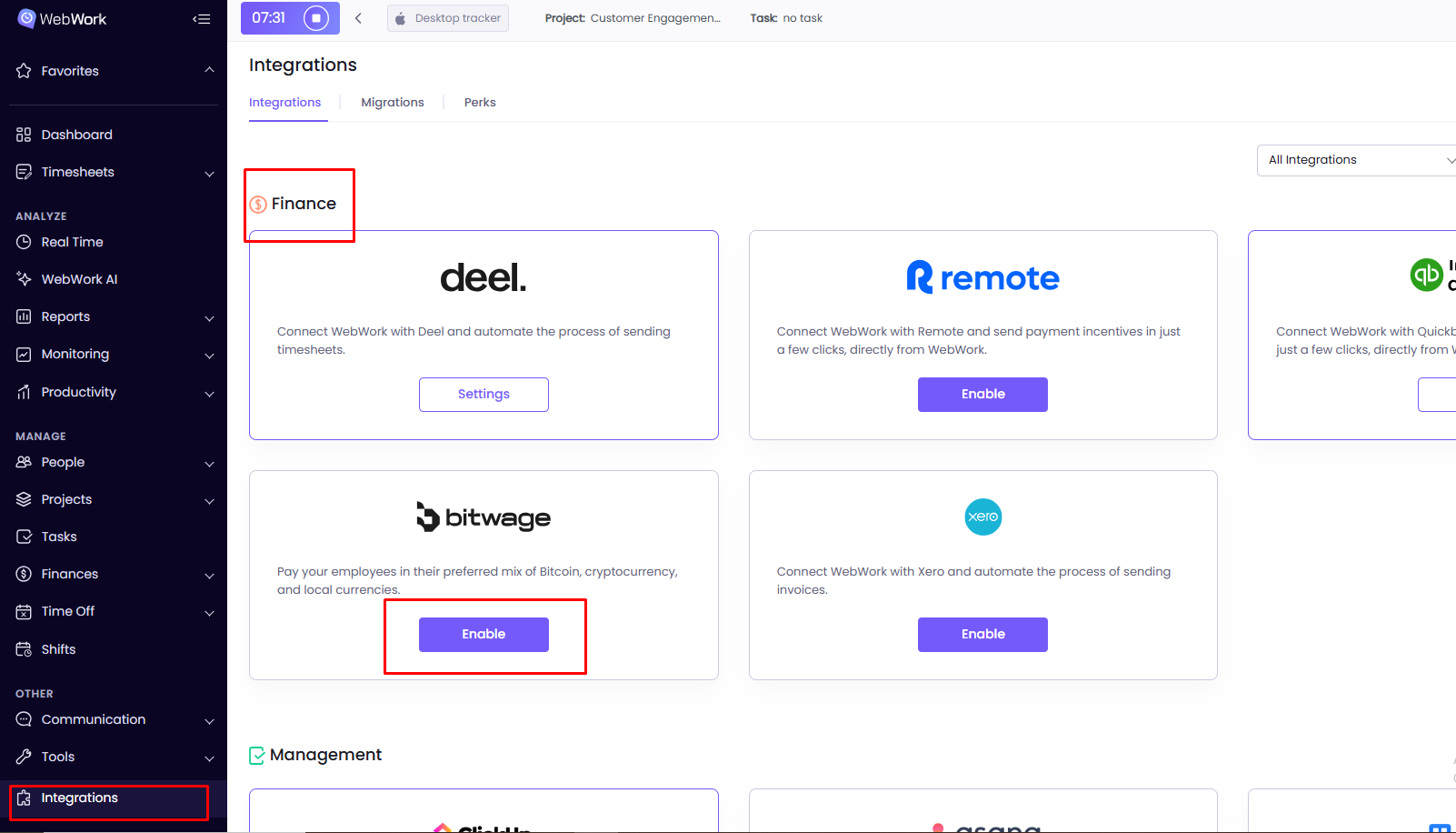
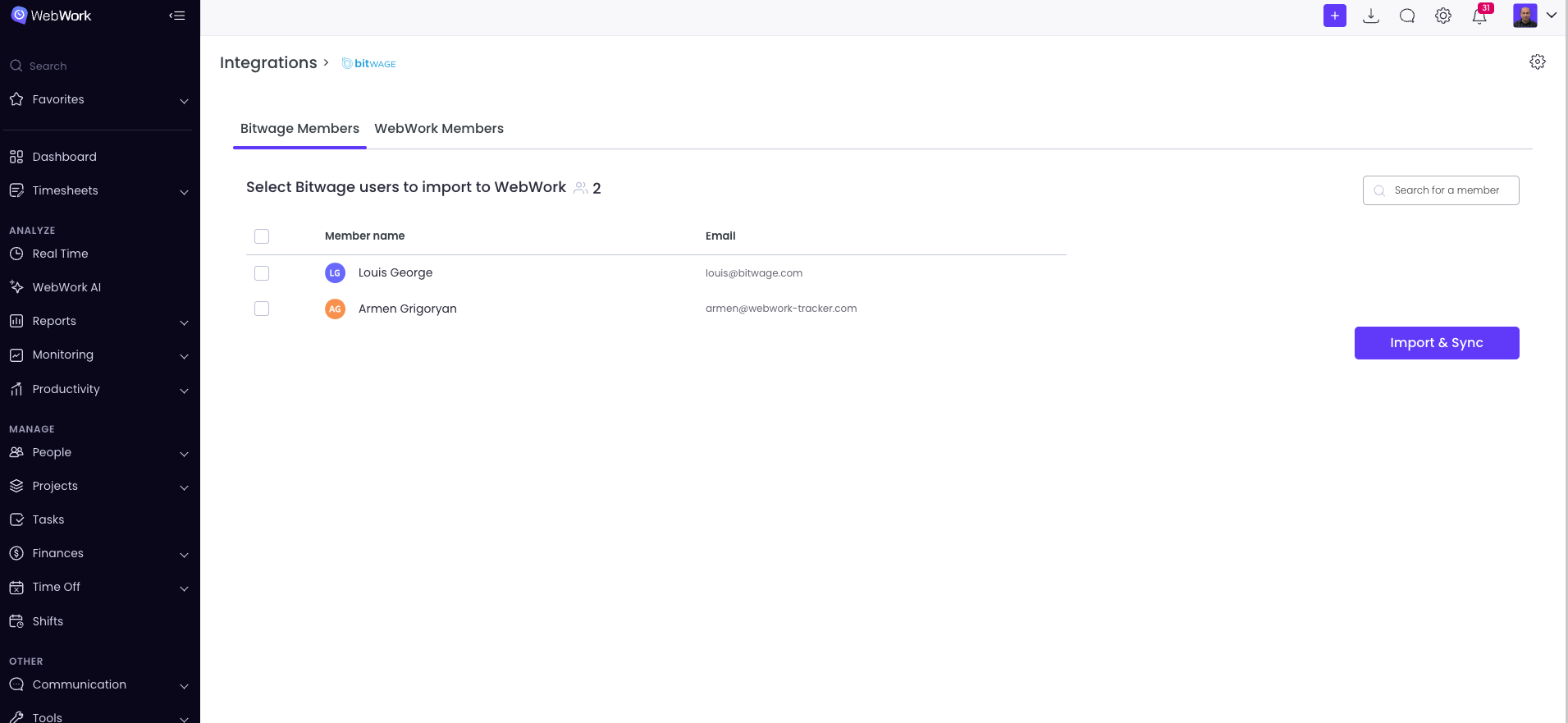
After clicking Enable, you will be directed to a new window, where you must log in to your existing account and give WebWork access to your Bitwage account. After approving it, you can sync or import the existing members in Bitwage to WebWork under the section Bitwage Members. If you already have a member with the same email in WebWork, then this member will not be created twice, instead will be synced from Bitwage. However, if the user is new and WebWork does not find any member with the same email in the workspace, then it will automatically create a new member by importing them to WebWork.
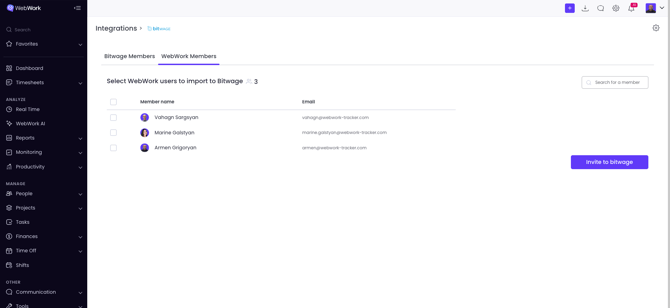
In the section next to it, called WebWork Members, you can invite any members from WebWork to Bitwage, in case they are missing in Bitwage.
You can see the imported or synced members by going to People, then Members.
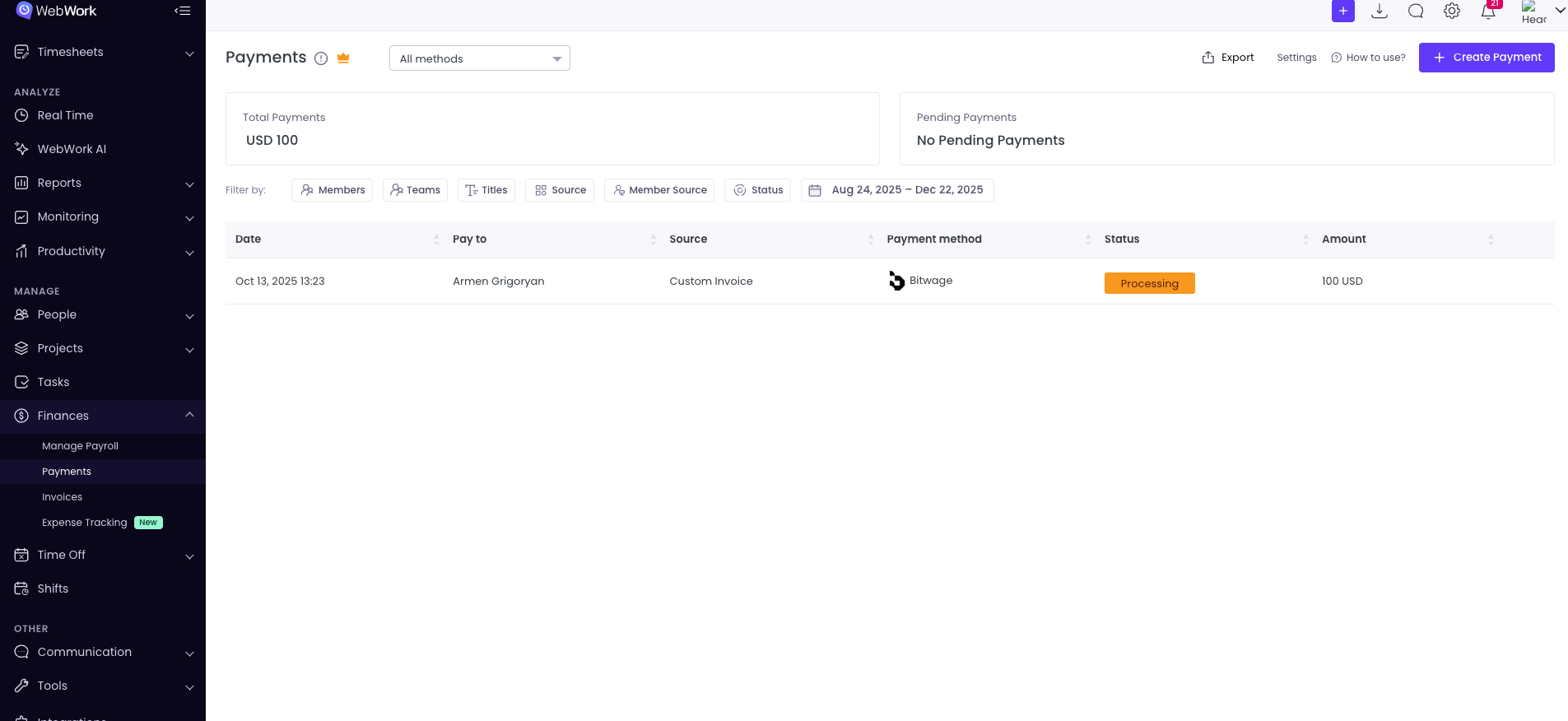
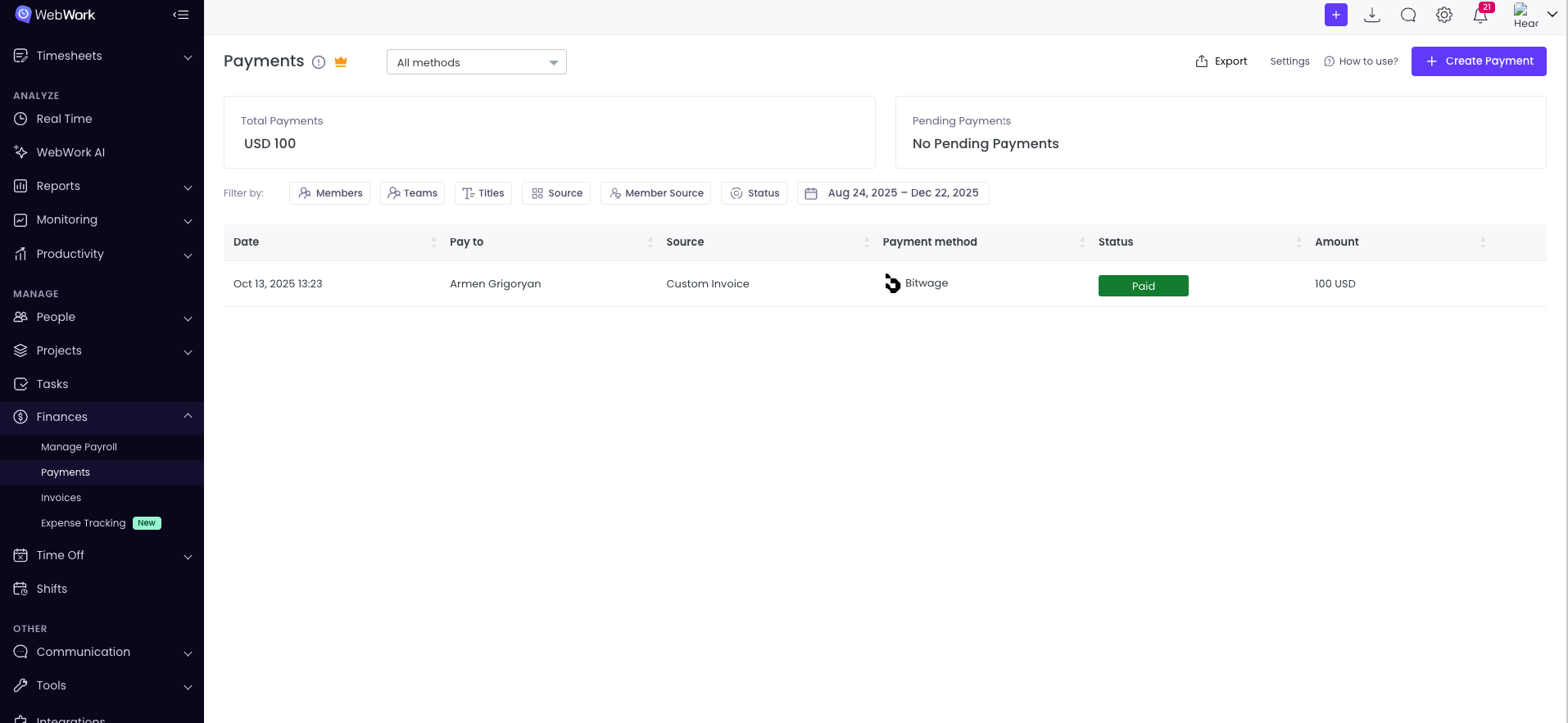
Now you can pay your employees through Bitwage with this enabled integration. To do that, simply go to Payments, select the member you want to pay, then select the payment system: Bitwage, fill out the necessary information and proceed with the payment.
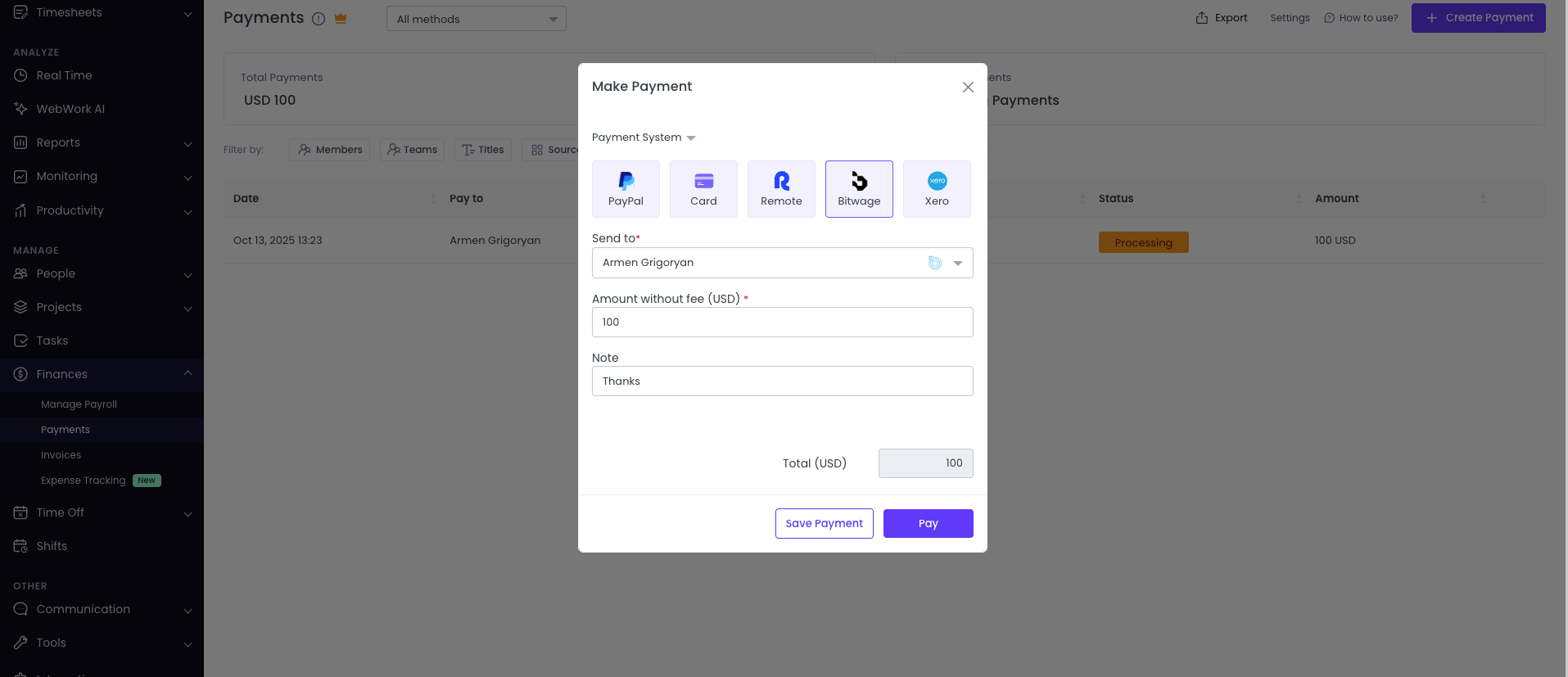
If the payment was successful, then the Status will turn from Processing to Paid.
Was this article helpful?
Thanks for your feedback.