
In WebWork Time Tracker, rate types allow workspace owners to separately manage how employees are paid and how clients are billed. There are two main types:
- Pay Rate – The amount used to calculate employee earnings within the workspace.
- Bill Rate – The amount used to generate invoices and charge clients for the work performed.
You can set these rates for Projects, Members and Contracts.
Rates for Projects
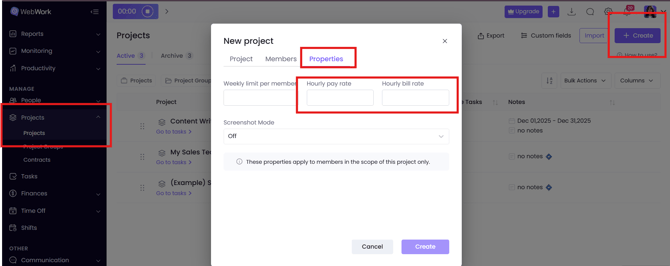
When you go to Projects → Projects, and click on Create a new project, for billable projects you can set different pay and bill rates:
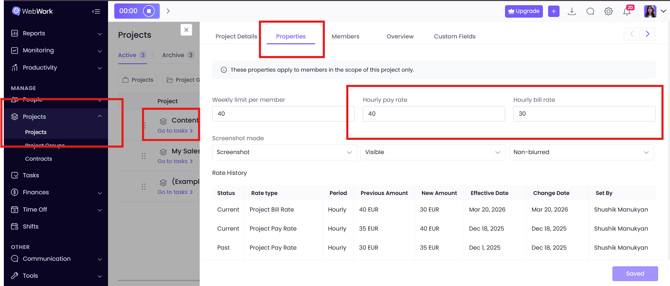
If you have already created/imported a project, you can still edit its rates. Click on the project and you can see the side panel of it. Then go to Properties and change the rates:
Rates for Members
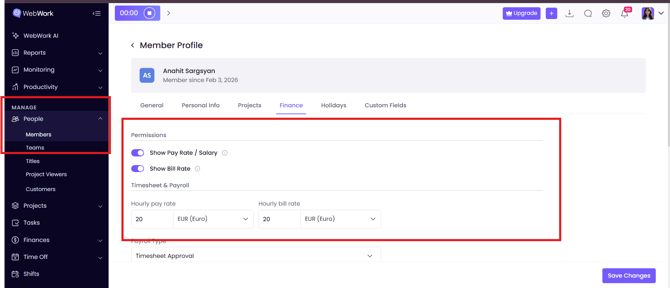
You can have different rates for each member. To configure the rates for them, you should go to People → Members, then click on the member and go to Finances. Here you can manage the permissions of the member:
- Show pay rate/ salary – Allows members to view pay rate and salary details according to their role and access permissions.
- Show bill rate – Allows members to view bill rate details according to their role and access permissions.
Under Timesheet & Payroll you can change the rates:
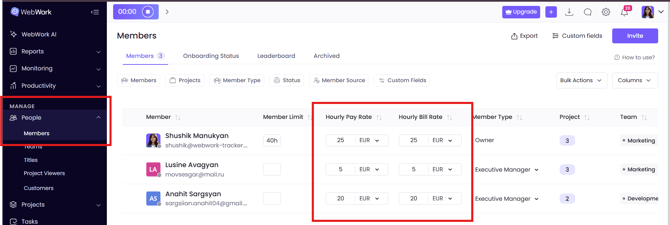
In the general view section where all the members of the workspace are visible, you can also see the pay rates and bill rates of the member and configure those (if you are the owner or have permissions to access it):
Rates for Contracts
Besides projects and members, you can also have various bill and pay rates for each contract (learn more about contracts here).
When you go to Projects → Contracts, you can again see separate columns for bill and pay rates and configure them:
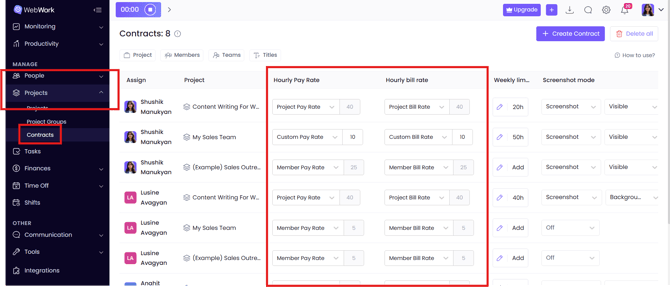
In Contracts, however, you cannot change the number of member bill/pay rate and project bill/pay rate as those are configured in their separate sections (respectively: People → Members and Projects → Projects). The only way you can change the number is by choosing Custom Pay/Bill Rate and writing the relevant number. Note, that the number under Custom refers only to that specific member under that specific project.
Invoicing
The pay and bill rates that you wrote in Projects, Members or Contracts, will then be used to create invoices. By default, if the invoice is from the employee billed to the workspace, the pay rate is selected. If the invoice is from the workspace (or specific member of the workspace) to one of your customers, then the bill rate is selected:
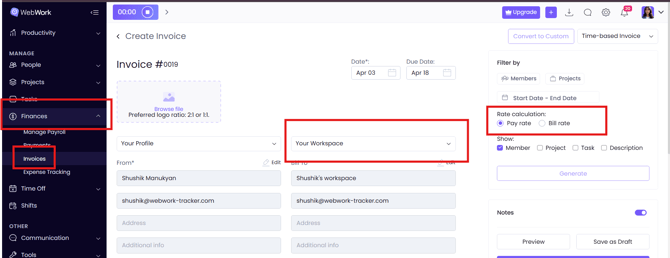
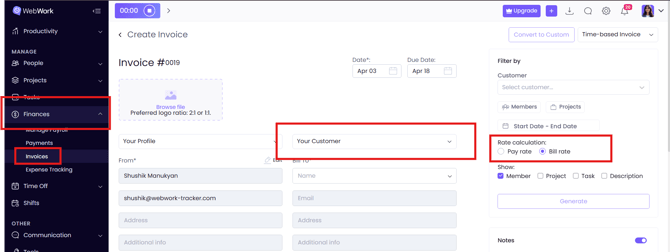
This is the default, but the invoice creator can also change the rates if necessary.
Was this article helpful?
Thanks for your feedback.