
WebWork does not pay members. Your workspace pays you: the Workspace Owner sets your rate and your payroll, and sends each payment, through WebWork’s payments or outside WebWork. WebWork tracks your time and calculates the amount.
Payments through WebWork are part of the Payments & Payroll add-on of your workspace. It is included in the Plus and Premium plans and is an add-on on the Pro plan.
Who to ask about your pay
Your Workspace Owner sets your hourly rate or fixed salary and the way you are paid, as How to set up and manage Payroll? describes. For a late or missing payment, or a wrong amount, ask your Workspace Owner.
Set up how you receive payments
Ask your Workspace Owner which method the workspace pays with. To be paid through WebWork by card or by PayPal, connect that method:
- Go to Settings > Finance.
- Open Get Paid.
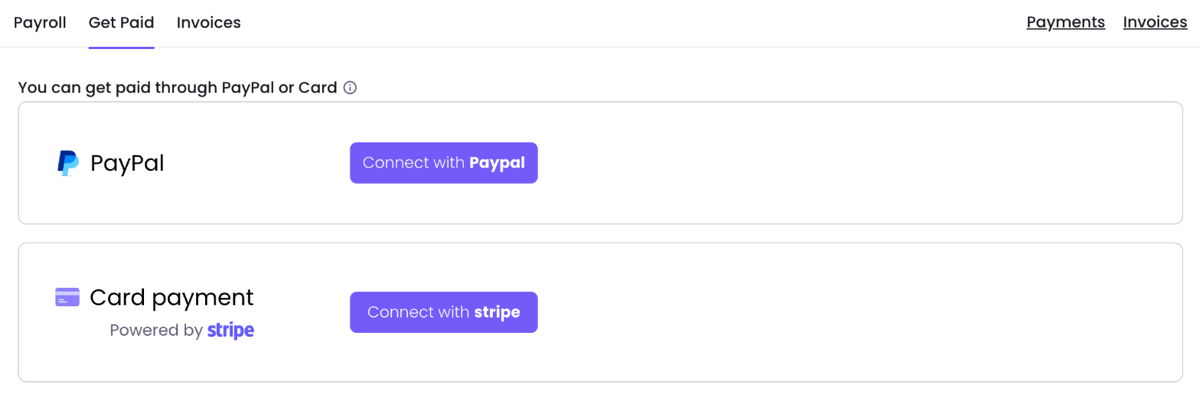
- Under Card payment, click Connect with stripe. Under PayPal, click Connect with Paypal.
- For card payments, finish Stripe’s onboarding.
Connecting PayPal is optional when your PayPal account and your WebWork account use the same email address: the payment reaches you all the same.
Your workspace can also pay you through a connected service, such as Deel, Remote or Bitwage, or outside WebWork. A payment through Xero creates a bill in Xero and does not move money. How to pay your team on WebWork? lists the methods a workspace can use.
See what you were paid
Payments made through WebWork are logged as invoices, in Finances > Invoices. To see invoices, you need Show Pay Rate / Salary or Show Bill Rate, which your Workspace Owner turns on for you, with Billable / Payable Hours turned on. Show Bill Rate alone does not show anyone’s pay. With Show Pay Rate / Salary you also see your own pay rate.
Payouts, in Finances, lists Stripe payouts only, and the menu appears only for the Owner and Executive Managers with an activated Stripe account.
Send an invoice to your workspace
If your workspace asks you for an invoice, create it in Finances > Invoices and bill it to the workspace. To see Invoices, you need the access described in the section above. How to create invoices? shows the steps.
Was this article helpful?
Thanks for your feedback.