
The invoices of your WebWork subscription are on the Payments page. There you can view, download and email each invoice, see which members it covers, and share a pending invoice as a pay link. The Workspace Owner has access, and so do Executive Managers who can manage workspace billing.
View and download an invoice
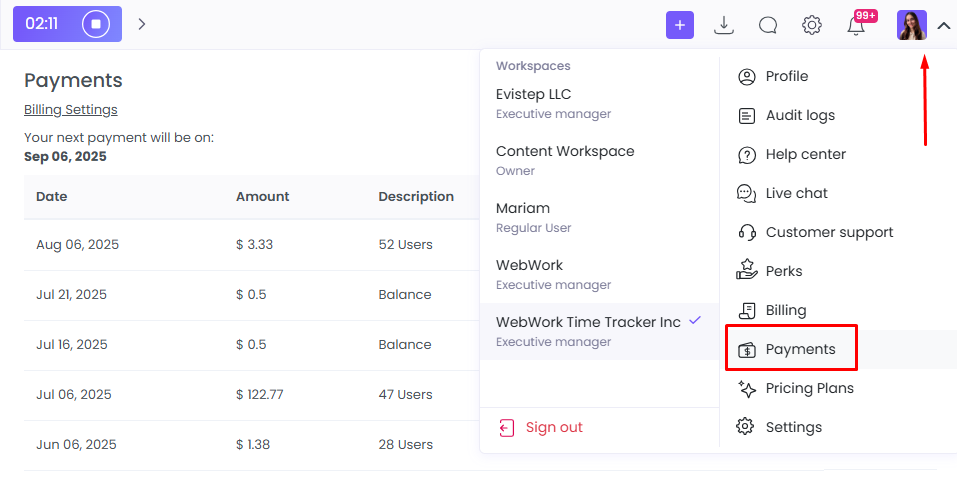
- Click your avatar in the top right corner, then select Payments.
- In the invoice’s row, click the three dots under Actions, then select View.
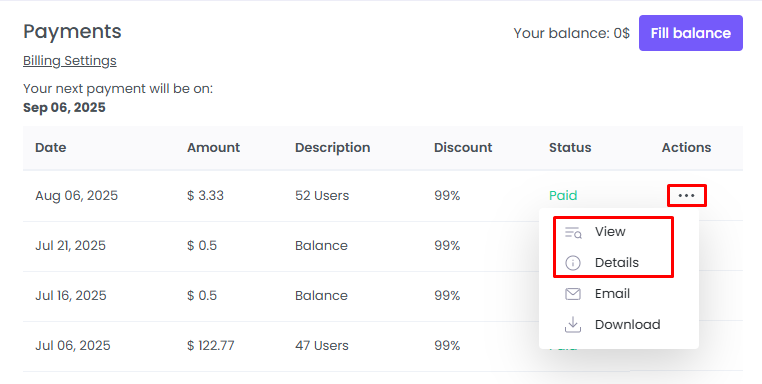
- The invoice opens in a new tab. Click Download to save it.
The same menu has Download, to save the invoice without opening it, and Email, which emails the invoice right away.
See which members an invoice covers
- On the Payments page, click the three dots in the invoice’s row, then select Details.
- Review the members the invoice covers. Members you added in the middle of the previous month are at the end of the list.
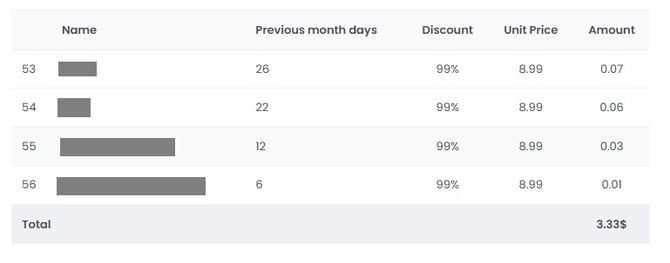
Members you add in the middle of a month are billed in the next payment.
Share a pending invoice as a pay link
When it is time to pay for your workspace, a pending invoice appears on the Payments page. Share it as a pay link with whoever handles the payment, such as your finance team or an external accountant. They pay the invoice by card from the link, without a WebWork account, so you don’t need to add them to your workspace.
- On the Payments page, open the pending invoice. The Payment Details page opens.
- Click Share pay link, then send the link to whoever handles the payment.
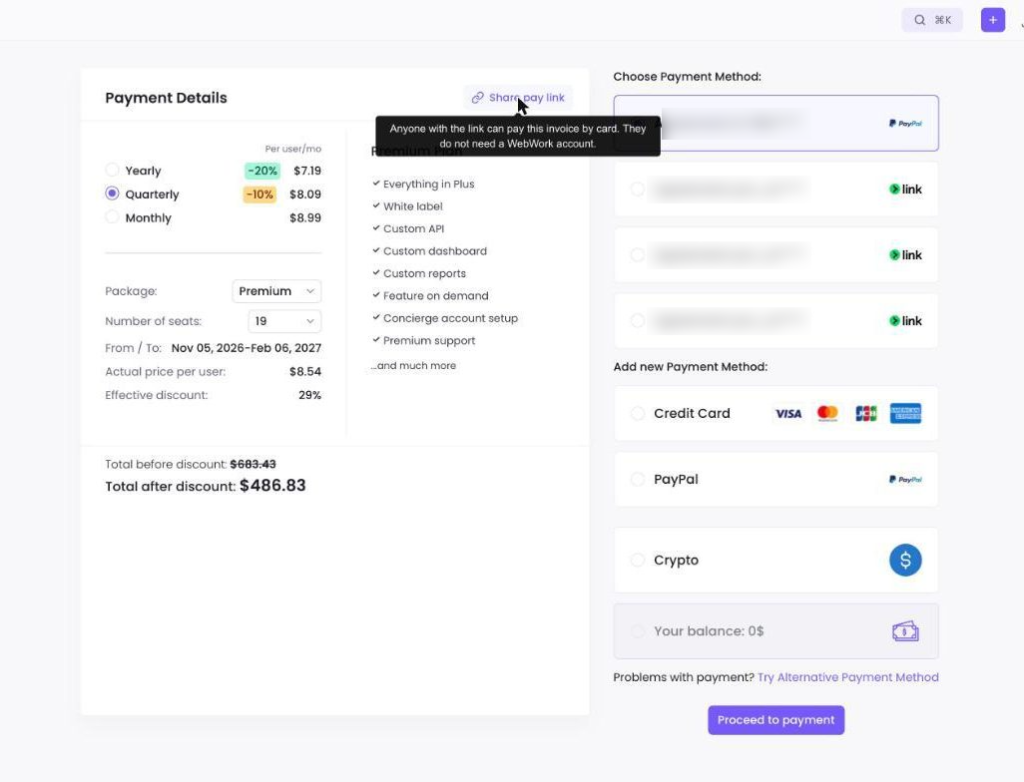
Anyone who has the link can pay this invoice by card. Send it only to the people who handle the payment.
Only a pending invoice has a pay link. A paid invoice opens with View, for members who have access to billing.
Was this article helpful?
Thanks for your feedback.