
General Tab
In the
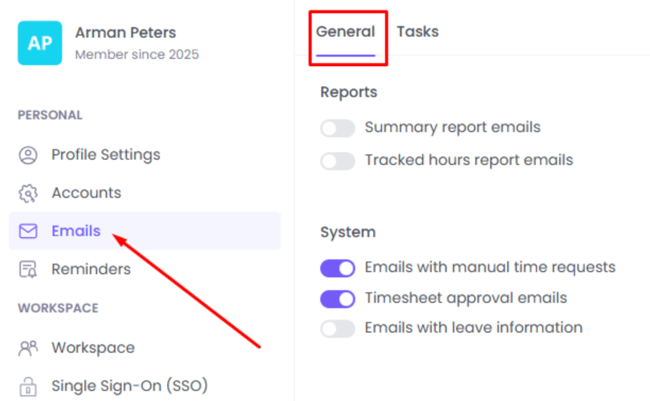
Email Settingssection, you can manage what types of emails you want to receive. To access these options, go to
Settings > Emails
The
Reportssection allows you to receive regular reports directly in your inbox.
You can enable:
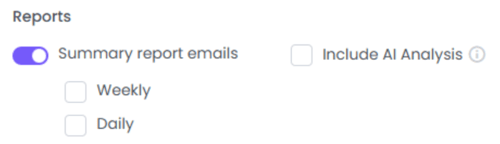
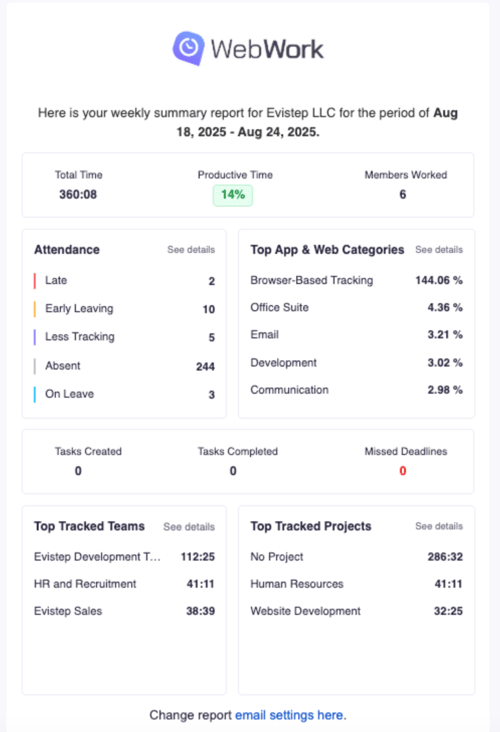
- Summary Report Emails – Get an overview of your workspace activity, including:
- Attendance
- App and website usage
- Top tracked teams
- Most active projects
- You can choose to receive these reports daily or weekly. Optionally, include AI Analysis for deeper insights (this will use your AI credits).
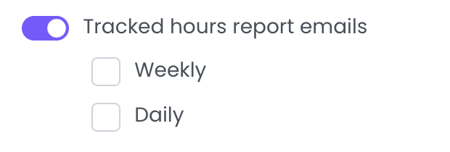
- Tracked Hours Report Emails – Receive detailed reports about the tracked hours of your workspace members. Reports can be sent daily or weekly.
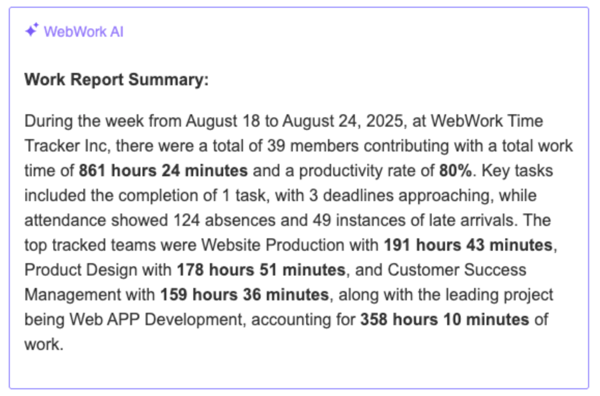
Example of a Summary Report:
Example of an
AI Analysis Report:
Under the
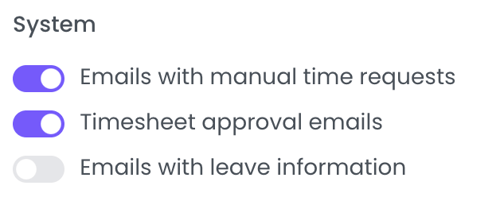
Systemsection, you can enable specific system-related email notifications:
- Emails with manual time requests
- Timesheet approval emails
- Emails with leave information
Tasks Tab
By going to
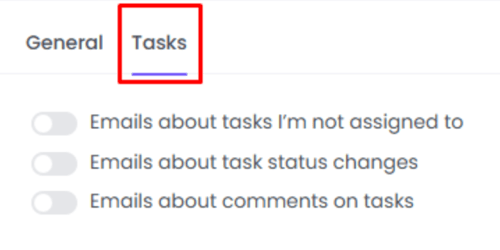
Settings > Tasks, you can manage additional task-related email notifications.
Here you can enable or disable:
- Emails about tasks you are not assigned to
- Emails about task status changes
- Emails about comments on tasks
Was this article helpful?
Thanks for your feedback.