
Code Activity shows your team’s GitHub and Bitbucket work next to the time they track: commits, merged pull requests, review times, and the time spent on the tasks your commits name.
For Code Activity to be available in Productivity, you must first enable GitHub or Bitbucket integrations.
In Code Activity, you can view up to 7 days at a time, from the past 12 months. A commit counts toward a member only when it was made with the email of their WebWork account.
Before you start
- Connect GitHub or Bitbucket in Integrations
Turn on commit linking
Code Activity shows time only on tasks that commits are linked to. The Owner or an Executive Manager turns linking on, for each integration.
- In Code Activity, select the GitHub or Bitbucket tab and click Settings.
- Under Code Activity, turn on Link commits to tasks.
- To add the tracked time to each merged pull request as a comment, turn on Show tracked time on pull requests.
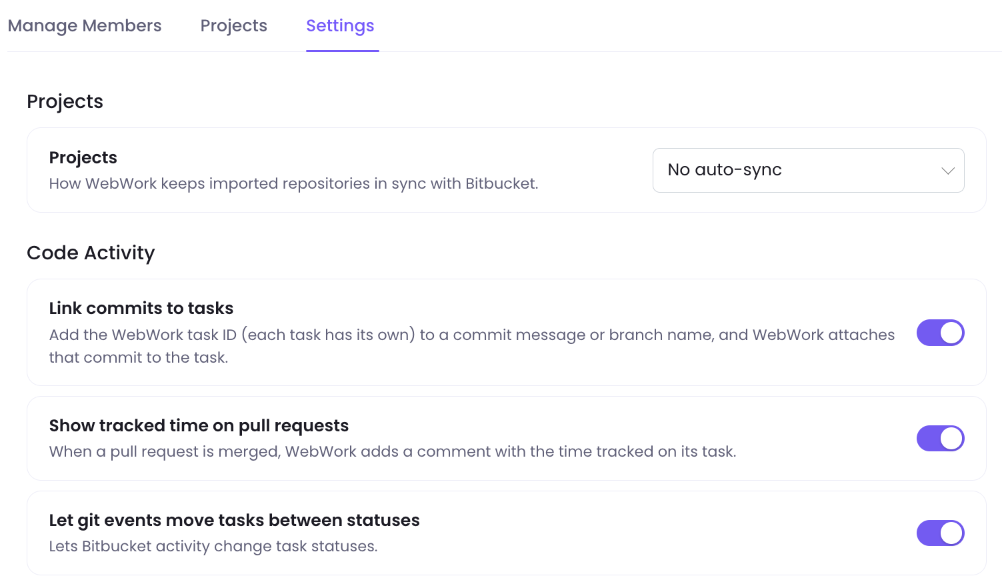
While Link commits to tasks is off, Code Activity shows no linked tasks and no time on them.
Link commits and pull requests to tasks
- In Tasks, find the task’s ID in the Task Id column, such as
WEB-42.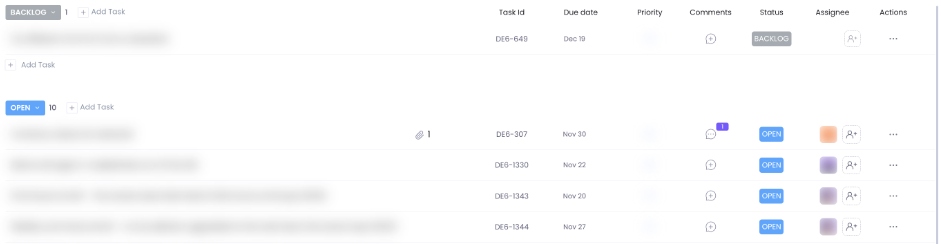
- Add the ID to the commit message or the branch name, such as
WEB-42 Fix login validation. - For a pull request, add the ID to its branch name or its title.
View your team’s code activity
- Go to Productivity > Code Activity and select GitHub or Bitbucket.
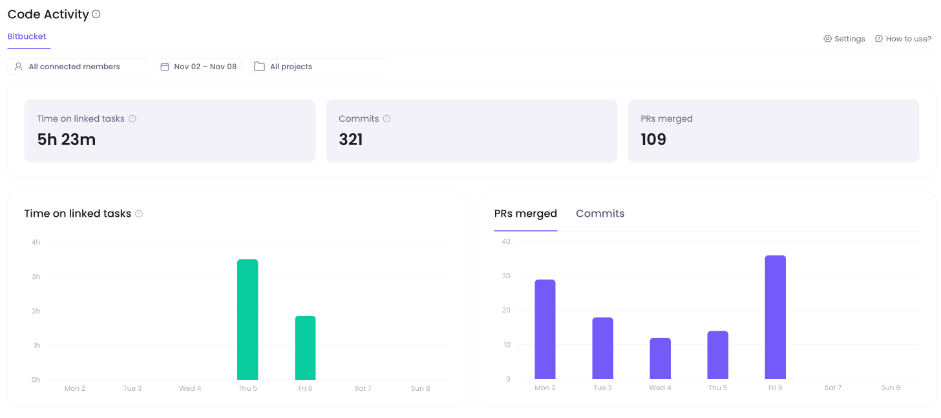
- Select a member in All connected members.
- Select up to 7 days in the date picker, or select This Week, Last Week or Last 7 Days.
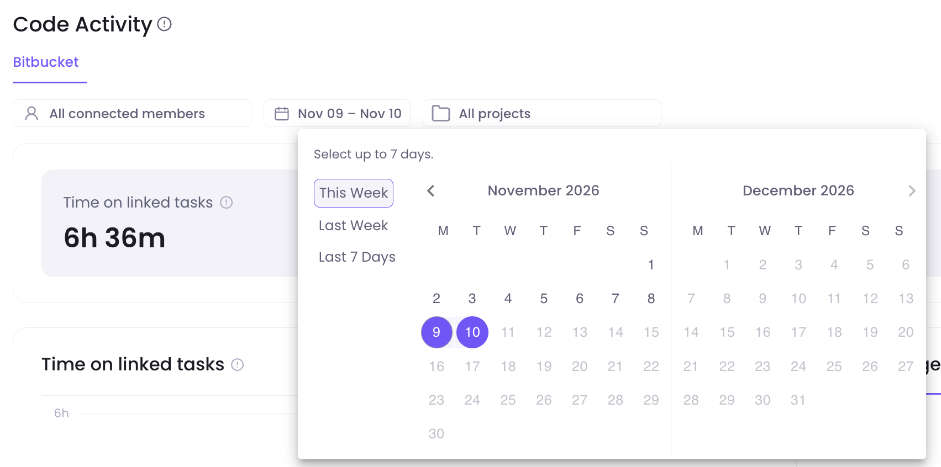
- Select a project in All projects.
Totals and daily charts
The tiles show Time on linked tasks, Commits and PRs merged for the period. Commits counts only commits credited to a member. The charts show the same per day; select PRs merged or Commits to switch the right-hand chart.
Linked tasks
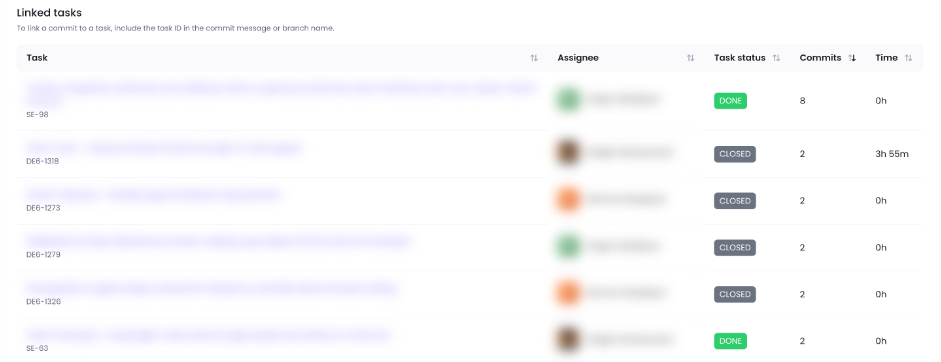
Linked tasks lists the tasks that commits named in the period, with the time tracked on each task in that period.
Pull request review times
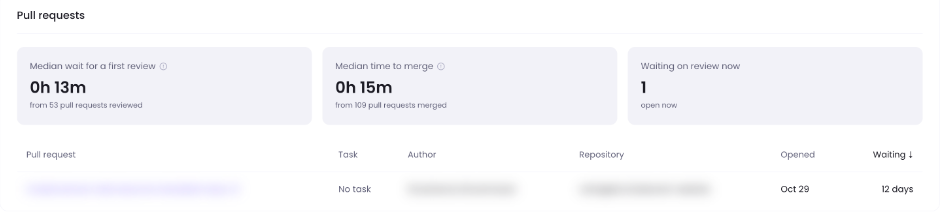
Median wait for a first review covers the pull requests that got their first review in the period, and Median time to merge the pull requests merged in the period. Waiting on review now counts every pull request open now, whatever week it was opened.
Members and repositories
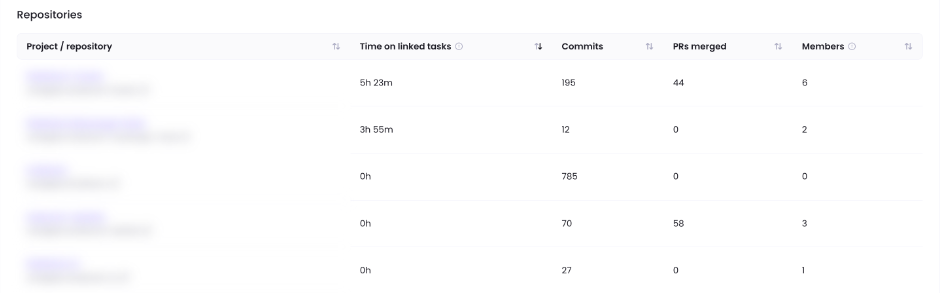
Members shows each member’s code activity for the period. Repositories shows each project and its repositories with commits or merged pull requests in the period; select Show inactive repos to see the rest. Repositories counts every commit, credited or not, so its commits can add up to more than the Commits tile.
Credit commits to the right member
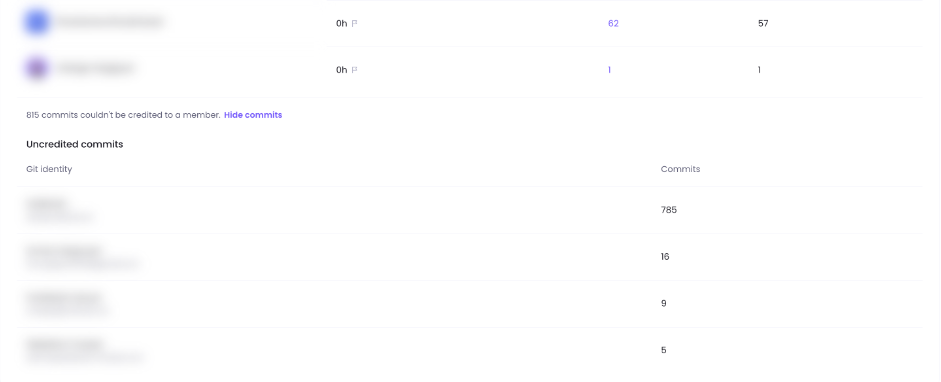
Commits made with any other email can’t be credited to a member. Under Members, click Show commits to see them under Uncredited commits, with the Git identity that made each one. WebWork links a GitHub or Bitbucket account to a member once it sees a commit made with their WebWork email.
- In Code Activity, click Settings on the integration’s tab, then open Manage Members.
- Select Not linked to see the accounts that aren’t linked to a WebWork member.
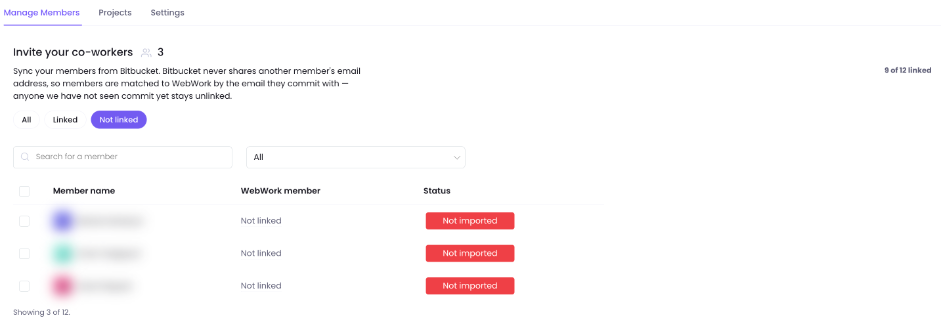
- Ask those members, and the people behind each uncredited Git identity, to commit with the email of their WebWork account.
This command sets the email on a member’s future commits:
git config --global user.email "you@yourcompany.com"Was this article helpful?
Thanks for your feedback.