
Enabling Google Calendar Integration
Google Calendar integration allows you to sync your Google calendar with WebWork. Available on Plus and Premium plans.
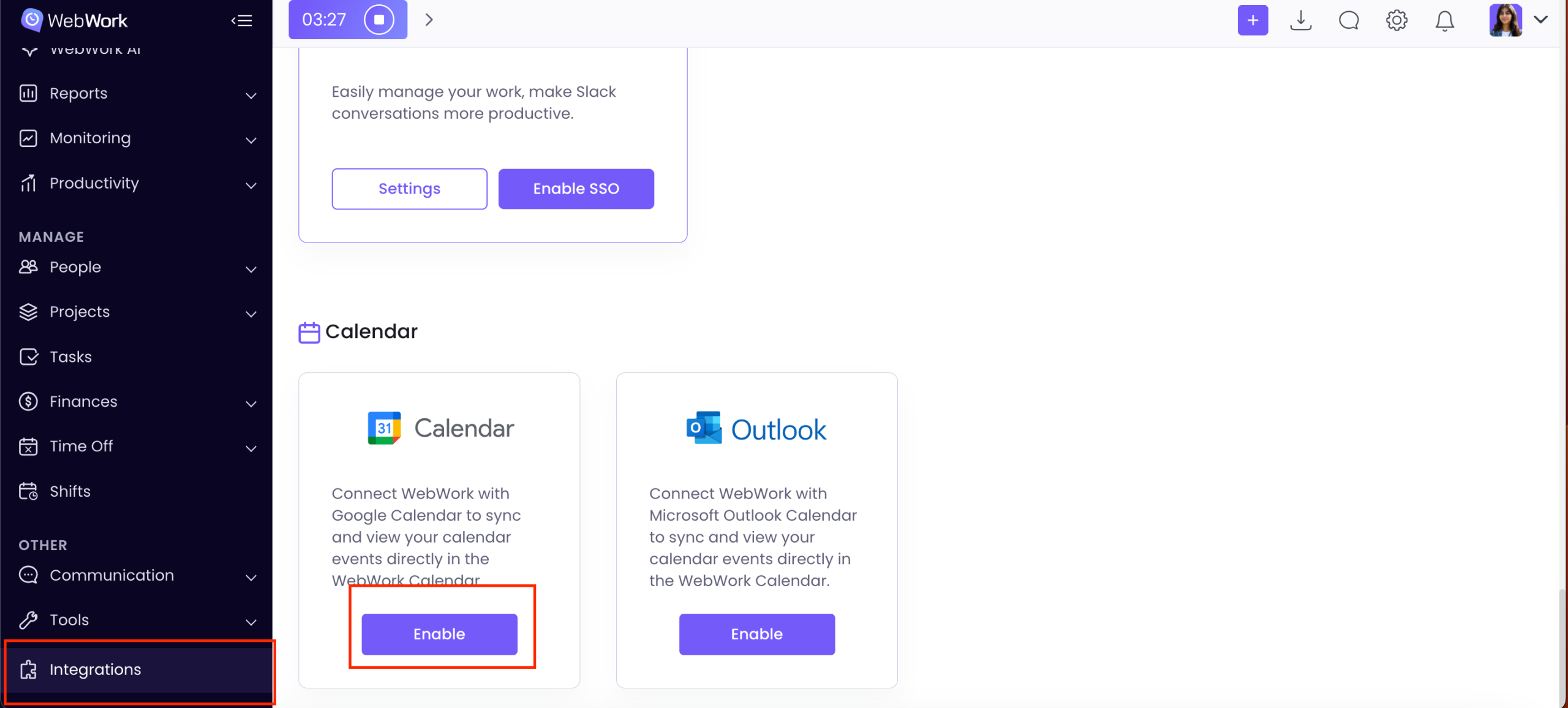
In order to enable it, go to Integrations > Google Calendar > Enable.
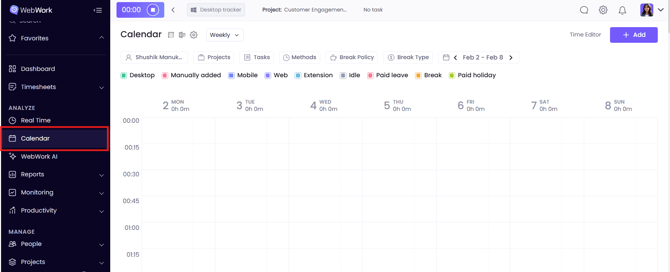
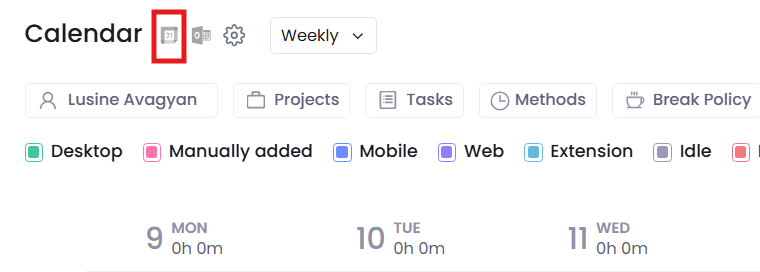
Or enable it from WebWork Calendar. Click the Google Calendar icon on top > Connect.
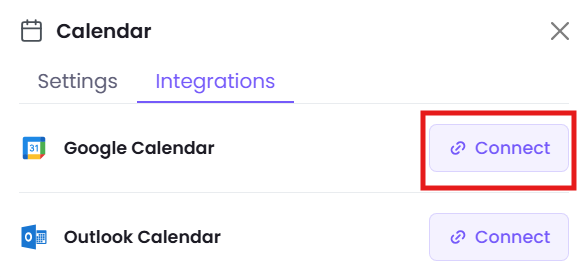
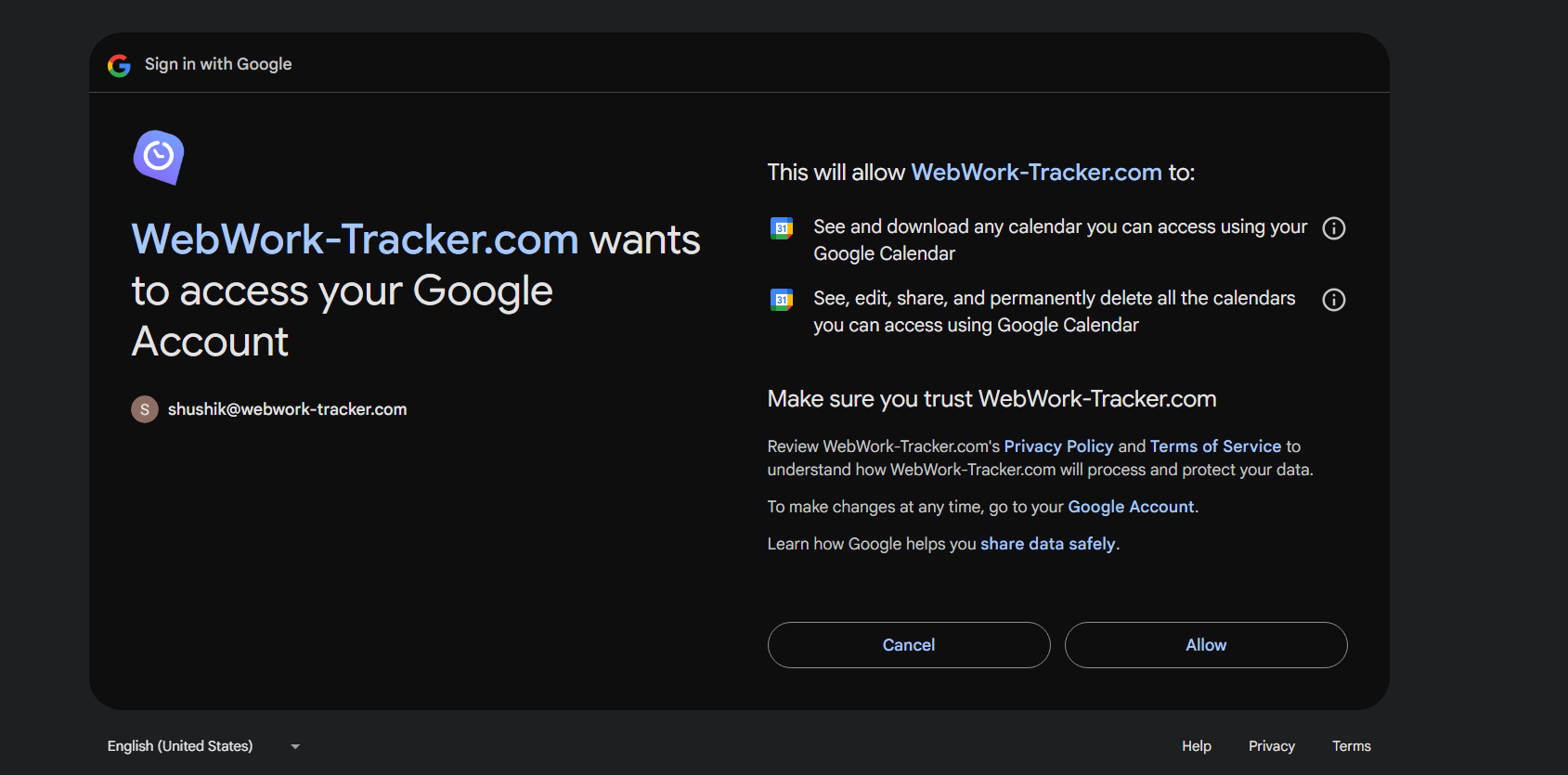
In the opened page, give WebWork permissions to access your Google Account by clicking Allow.
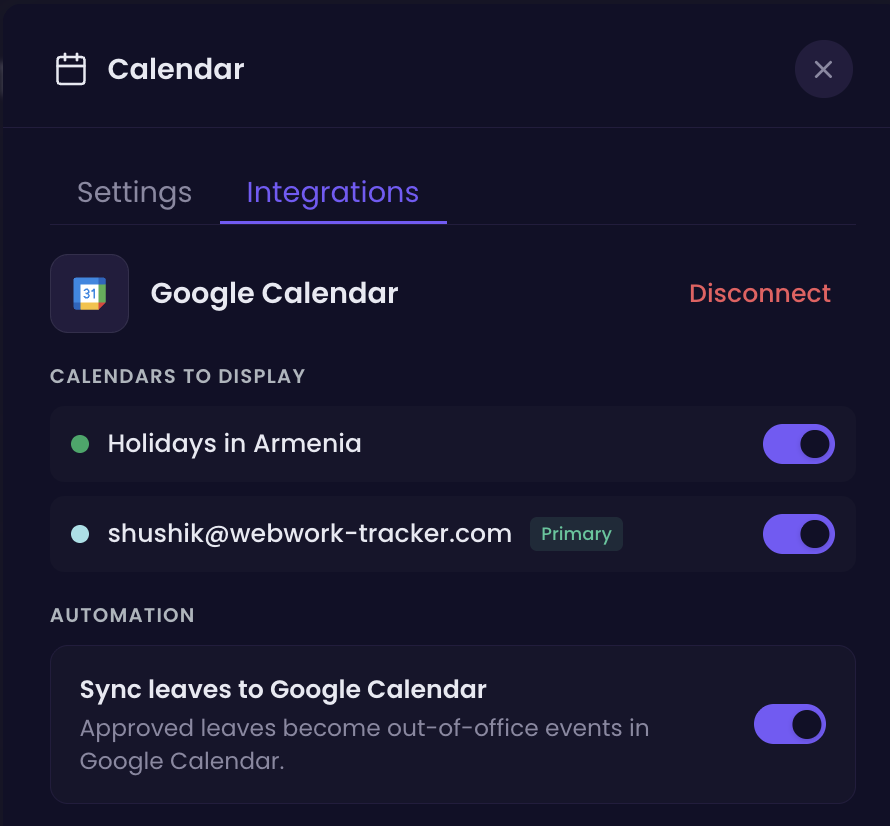
After giving the permission, select which events you want to sync.
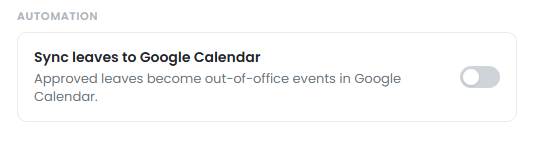
Sync Approved Leave with Google Calendar
You can also sync leave and time off with Google Calendar. When synced, approved leaves from WebWork will become out-of-office events in Google Calendar.
That’s it. You can now see your calendar events next to your tracked hours.
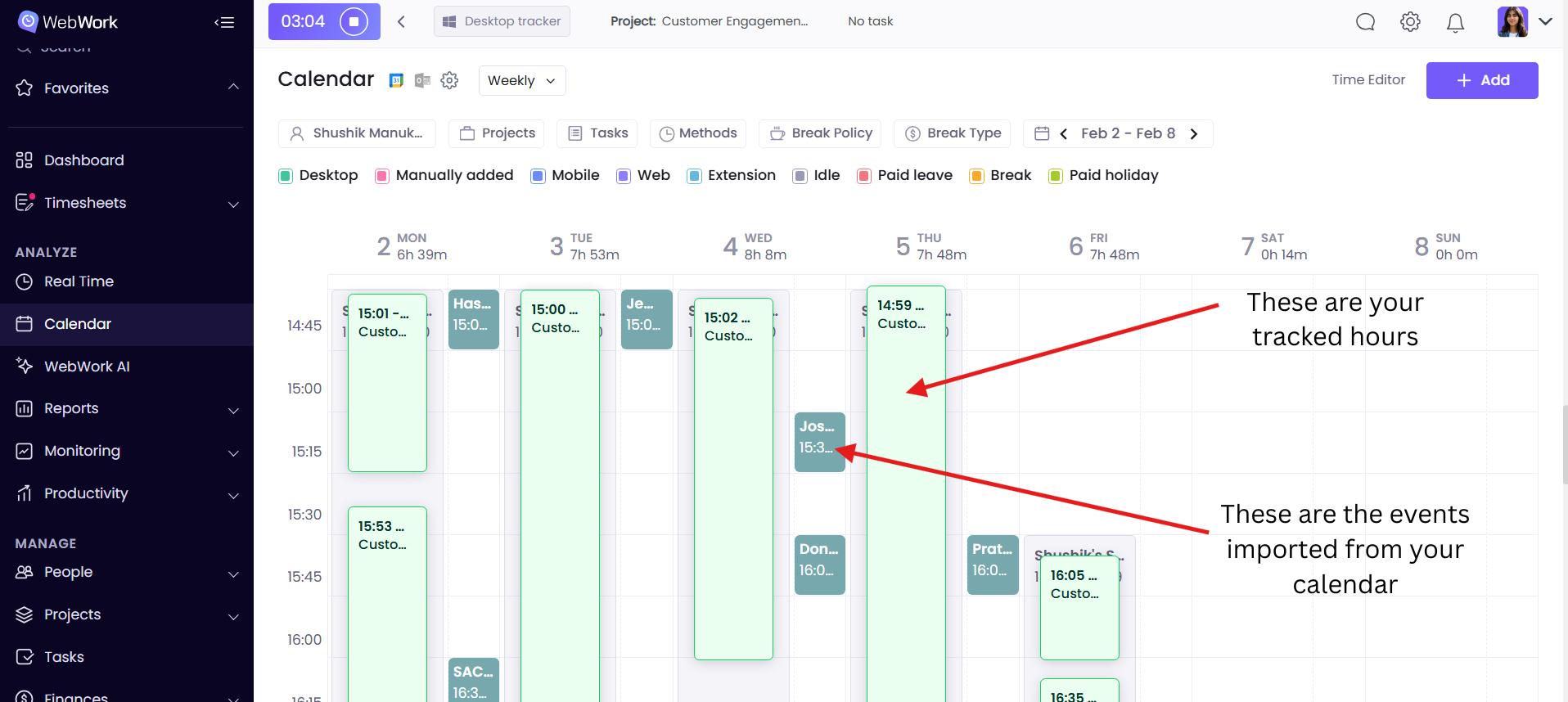
Note that enabling this option allows you to view only your personal events from Google Calendar, regardless of your role as an executive manager or workspace owner.
Learn more about WebWork’s Calendar here.
Was this article helpful?
Thanks for your feedback.