
You can change your workspace on both Dashboard and desktop tracker.
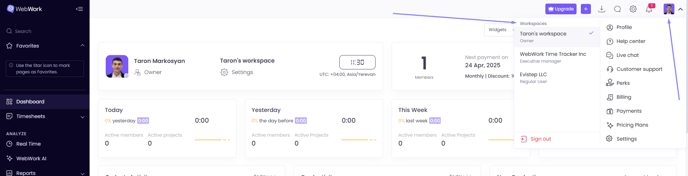
Changing workspaces on the Dashboard
To change the workspace and track time on the Dashboard:
- Open your Dashboard
- Click to your profile
- Select the necessary workspace and start tracking time on it
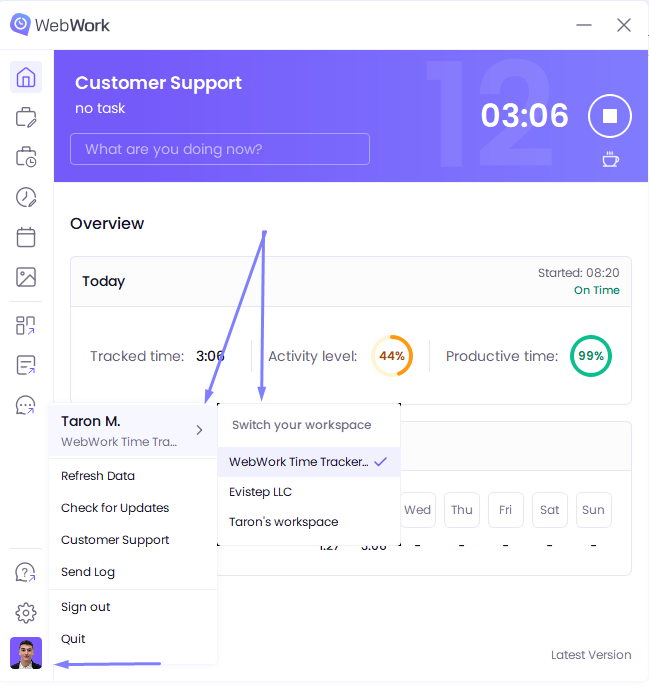
Changing workspaces on the Desktop App
To change the workspace and track time on the desktop app
- Open the Desktop App
- Click to your profile
- Hover your mouse over the your name
- Select the necessary workspace and start tracking time on it
Was this article helpful?
Thanks for your feedback.