
How does our Clio integration boost workflow on WebWork?
The Clio integration eliminates double data entry by syncing tracked hours directly to the correct client matters in Clio Manage, allowing for seamless legal billing. It connects your time tracking and workforce management on WebWork directly to your law firm’s backend for accurate, error-free invoicing.
How to integrate Clio with WebWork?
Firstly, you should go to Integrations and find Clio under Legal subsection:
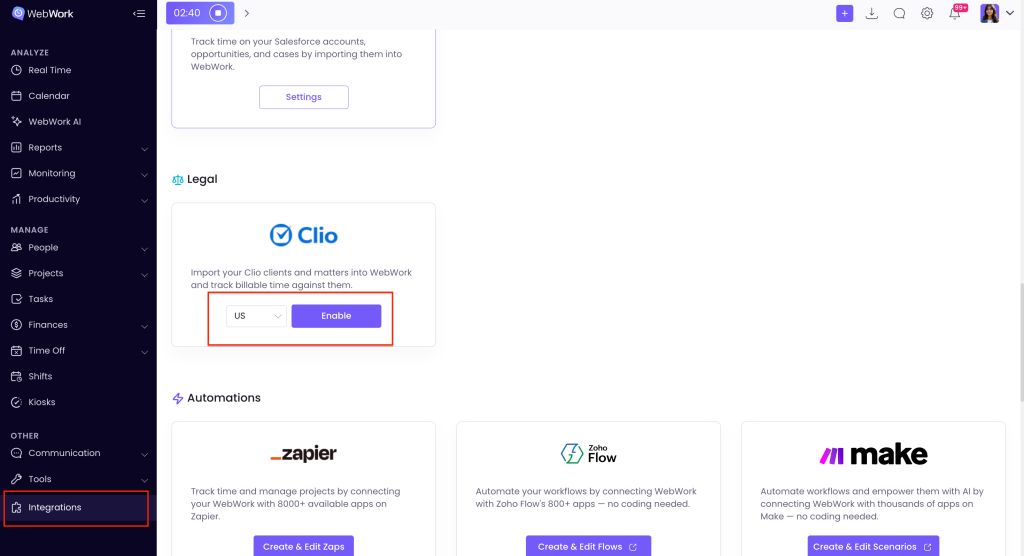
Select the relevant region and click Enable.
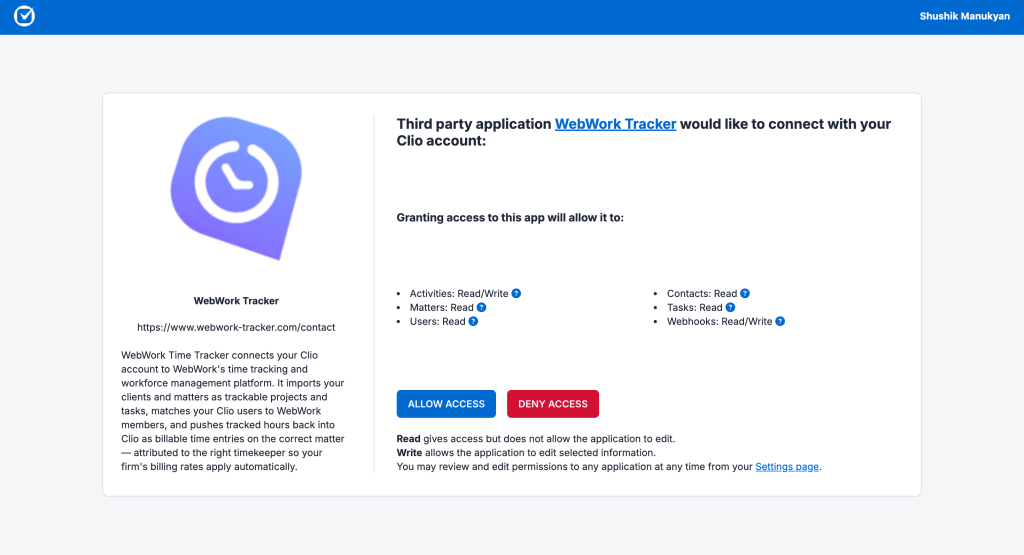
You will be redirected to a window, where you should Allow access to WebWork to extract data from Clio:
On the integrations page you will see the first section: Members.
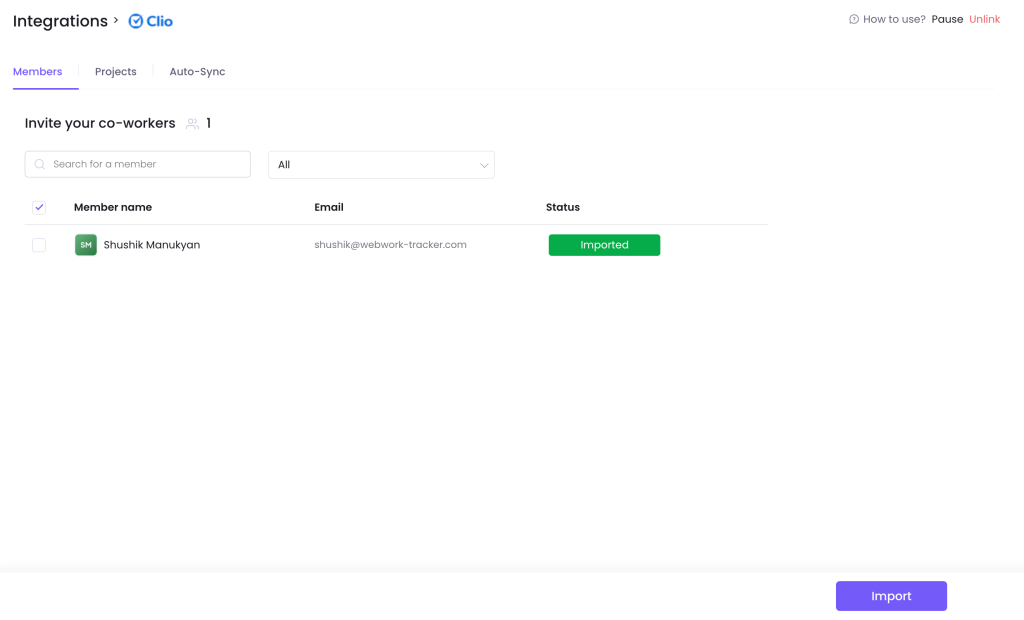
Here you can import from Clio to WebWork all your members, without having to manually add them again to WebWork. Additionally, if you have already added some of your members manually to WebWork, after clicking Import, the members with the same email on both tools will not be duplicated.
You can import the Clients on Clio as Projects on WebWork:
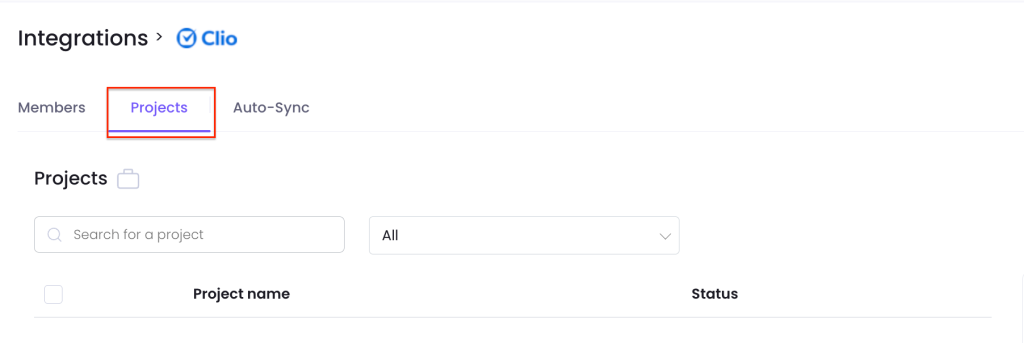
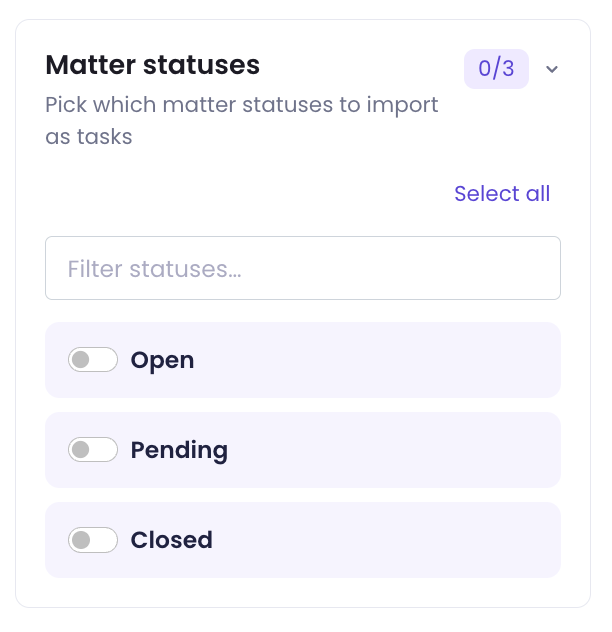
You can also import the Matters as tasks, and Matter statuses as Task statuses on WebWork:
The third section is about synchronization between the two tools. You can sync members, projects, and tasks so that whenever you add or delete one of them, the corresponding item is automatically added or removed in the other tool.
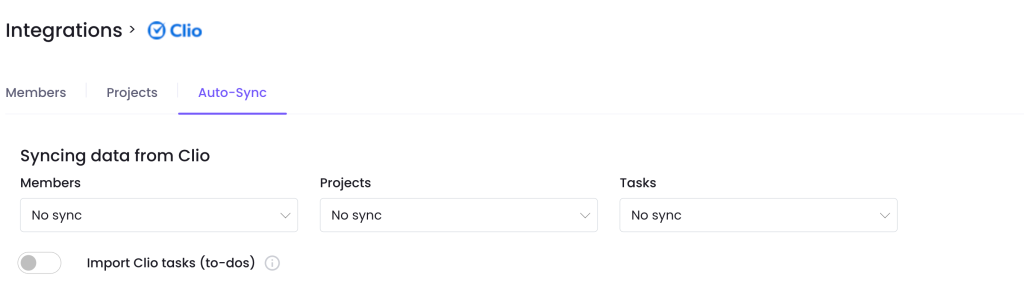
Notice, that Clio tasks are imported as subtasks under their matter’s task. Time tracked on a subtask is billed to the matter it belongs to.
You can also send information from WebWork to Clio, specifically tracked hours. For that you should enable the Send tracked time to Clio button:

Tracked hours are added to the linked Clio matter as billable time entries – one per member per day, attributed to the matching Clio user so your firm’s billing rates apply. Members without a linked Clio user are skipped.
Was this article helpful?
Thanks for your feedback.