
The Desktop Tracker App allows you to add and edit time directly in the app.
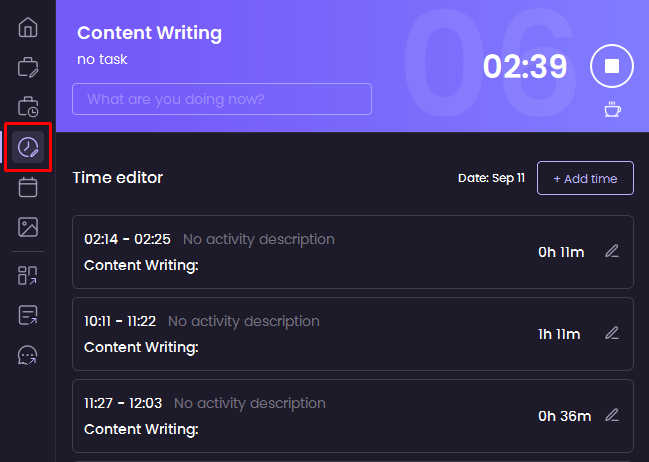
- Click the Add and edit time tab
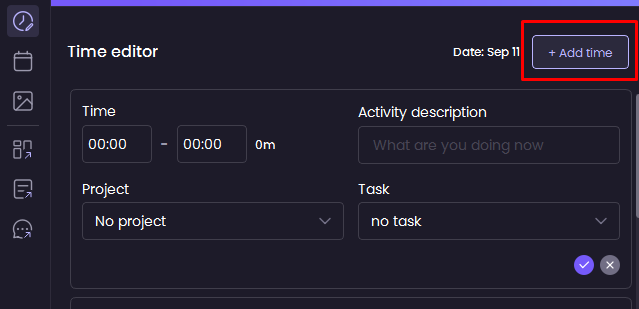
- Use the Add time button for adding time
- Use the Edit icon on each time entry to edit
- Add or edit the entry and click the Check icon to save
Was this article helpful?
Thanks for your feedback.