
If screenshots are missing, not displaying, or displaying a white or black screen, there might be a couple of reasons behind it.
A couple of things to remember about screenshots:
- Screenshots are captured by the Desktop Time Tracker only. The other trackers (mobile, web, and extension) do not take screenshots.
- Video screenshots are available on the Plus and Premium plans.
- Idle time intervals show no screenshots by design.
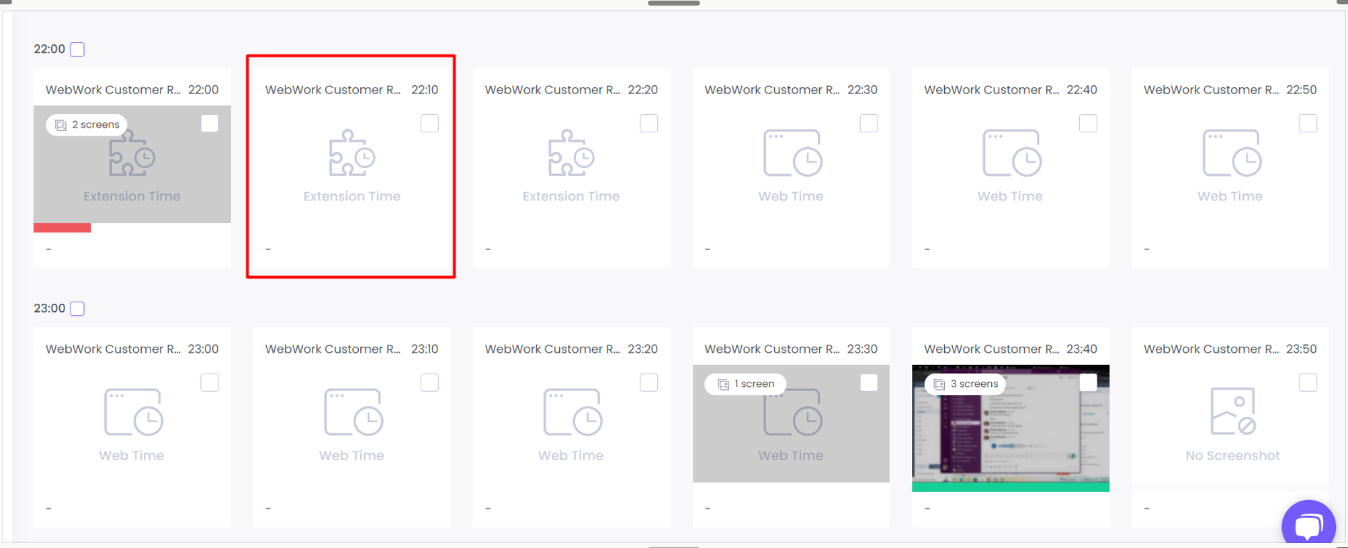
What does each tile mean?
A tile with a label in place of an image shows how that time was tracked:
- Web tracker: tracked with the web tracker.
- Extension: tracked with the browser extension.
- Mobile: tracked with the mobile app.
- Kiosk: tracked through Kiosk.
- Manual time: added manually.
- Idle: idle time.
- No screenshot: tracked with the Desktop App, with no image saved.
Where can Screenshot Mode be set to Off?
In four places: Settings > Screenshots, a project’s Properties, a project’s Members, and a member’s Projects. To find who is set to Off, open Projects > Contracts. The page shows each member’s mode in a column.
What to do if screenshots are not displaying?
- If there are no screenshots or they are black or white, it might be due to disabled permissions. To resolve it, see the help articles for your OS: Linux, Mac, and Windows.
If you have a Regular User role and cannot view your own screenshots, the permission to view might be disabled by your Workspace Owner or Executive Managers.
Was this article helpful?
Thanks for your feedback.