
The White Label feature allows you to fully customize your WebWork workspace to reflect your brand. You can change the colors, upload your logo, and even create a personalized URL.
-
Availability:
-
In the Pro and Plus plans, White Label can be activated for $1 per user/month.
-
In the Premium plan, it is included at no extra cost.
-
Once White Label is enabled, go to Settings > White Label to start customizing your workspace.
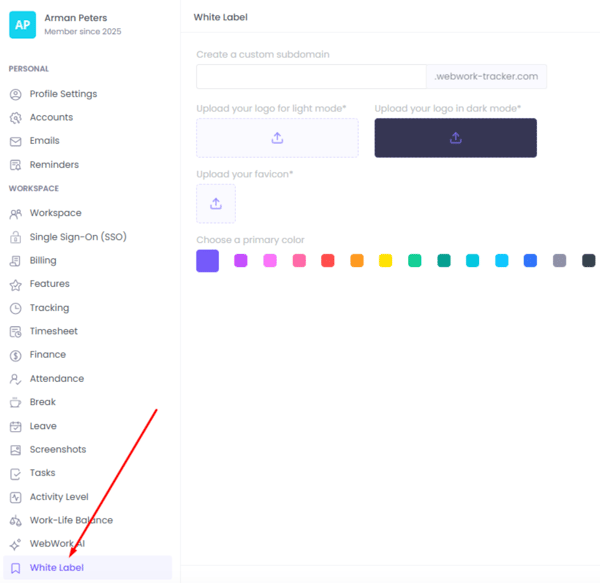
- Create a Subdomain
Set up a unique subdomain for your workspace to match your brand identity.
- Upload Your Logo
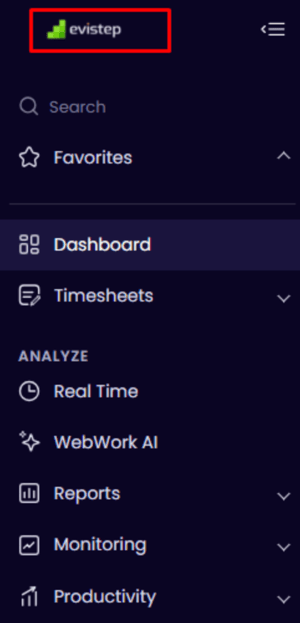
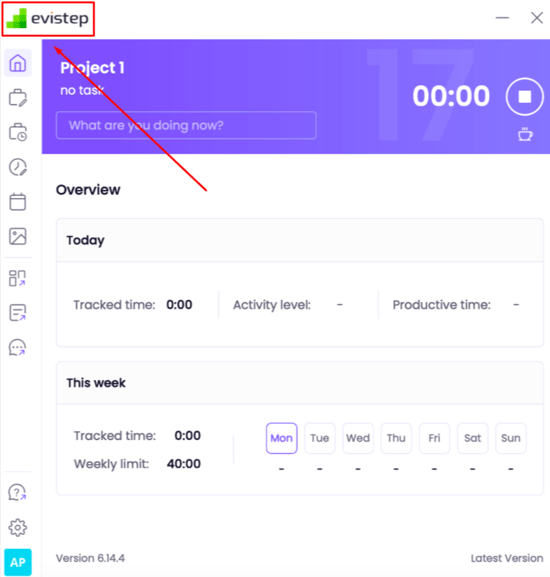
Add your logo for both light and dark mode. This logo will appear in the top-left corner of your workspace. The Desktop App shows this logo too, inside its windows.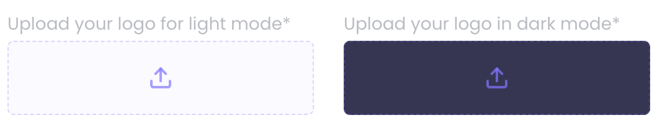
- Upload a Favicon
Your favicon will appear in the browser tab next to the website name.
- Choose a Primary Color
Select the main color for your workspace to align with your brand palette.
With these settings, you can give your WebWork workspace a fully branded look, creating a cohesive and professional experience for your team.
What White Label does not change
In the Desktop App, White Label replaces the WebWork logo inside the app’s windows with your logo. The installer, the app’s name and its tray icon stay WebWork’s.
The address you create in Settings > White Label always ends in .webwork-tracker.com. A new or changed subdomain shows “Your submission is pending.” until WebWork reviews it, which takes up to 2 days. A domain of your own cannot be set in Settings. Contact support to ask whether a custom domain can be configured for your workspace.
Can I resell WebWork under my brand?
White Label changes how your workspace looks: its colors, its logo and its URL. Reselling is a separate matter. Under the Terms of Service, access to WebWork may not be shared, sold, leased or sublicensed without authorization. For questions about the Terms, write to support@webwork-tracker.com.
Was this article helpful?
Thanks for your feedback.