
If you are switching from Insightful to WebWork, you can transfer your account data— members, projects, and tasks.
To migrate your Insightful account, follow these steps:
-
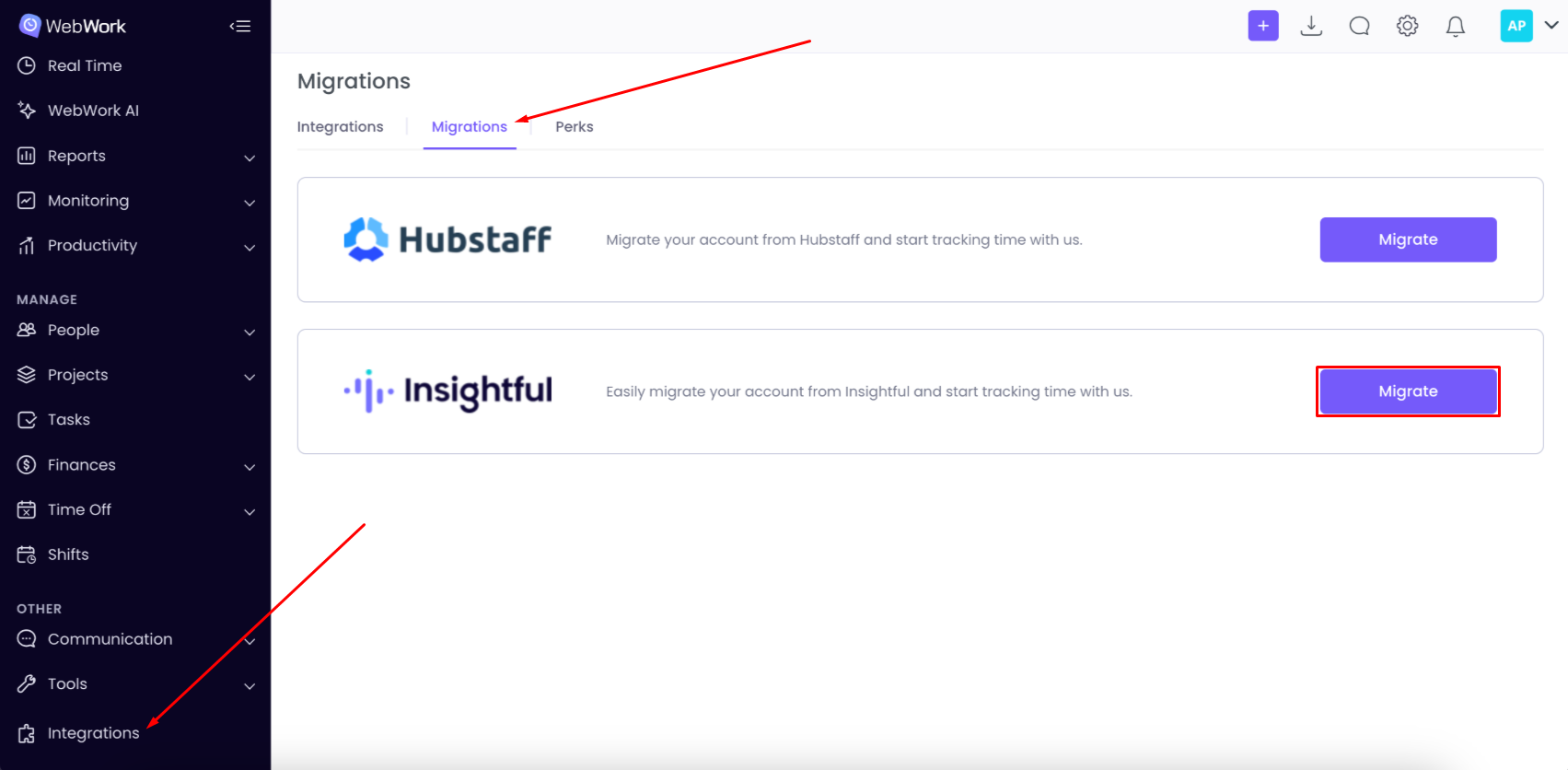
Go to Integrations > Migrations > Insightful
-
Click Migrate
-
To continue, you’ll need an API Token from your Insightful account:
-
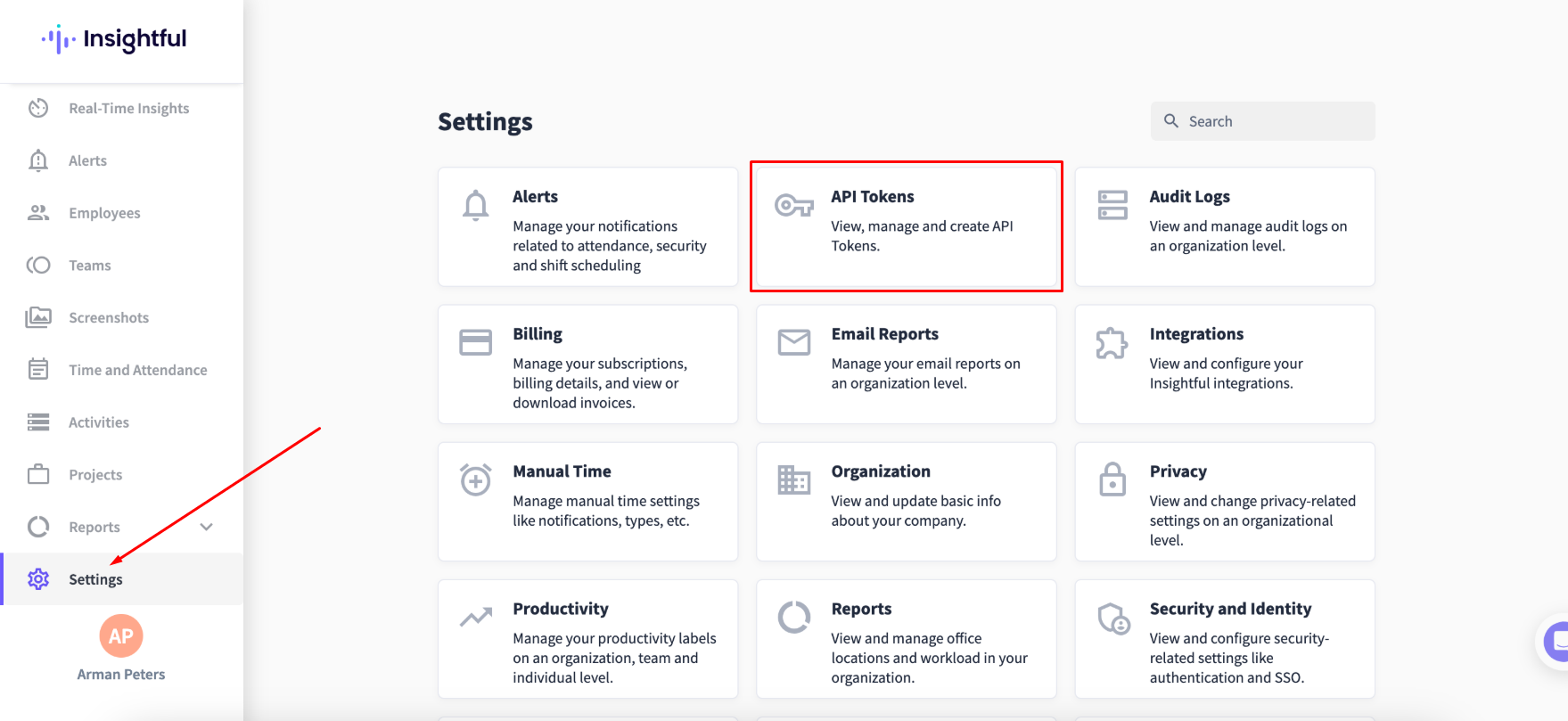
Log in to Insightful and go to Settings → API Tokens.
-
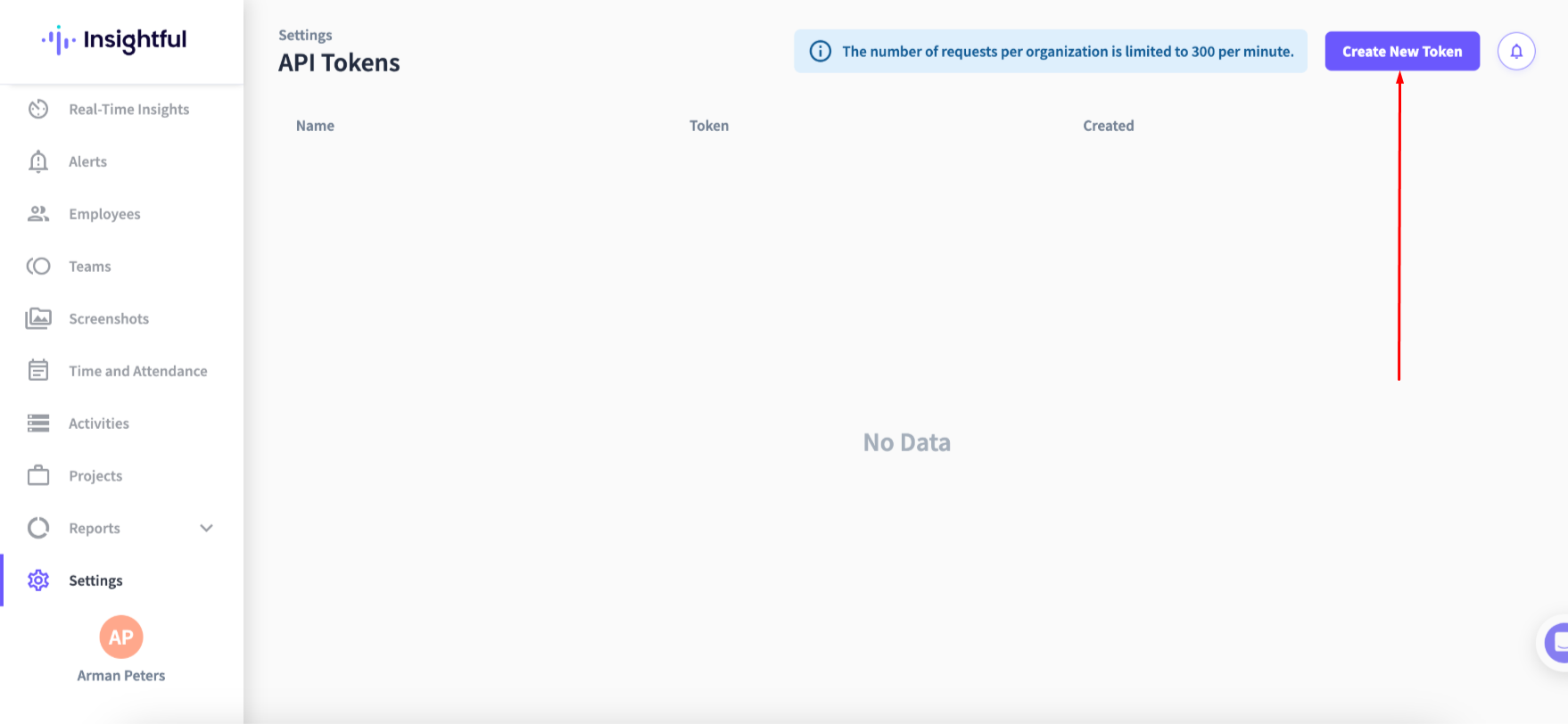
Create a new token.
-
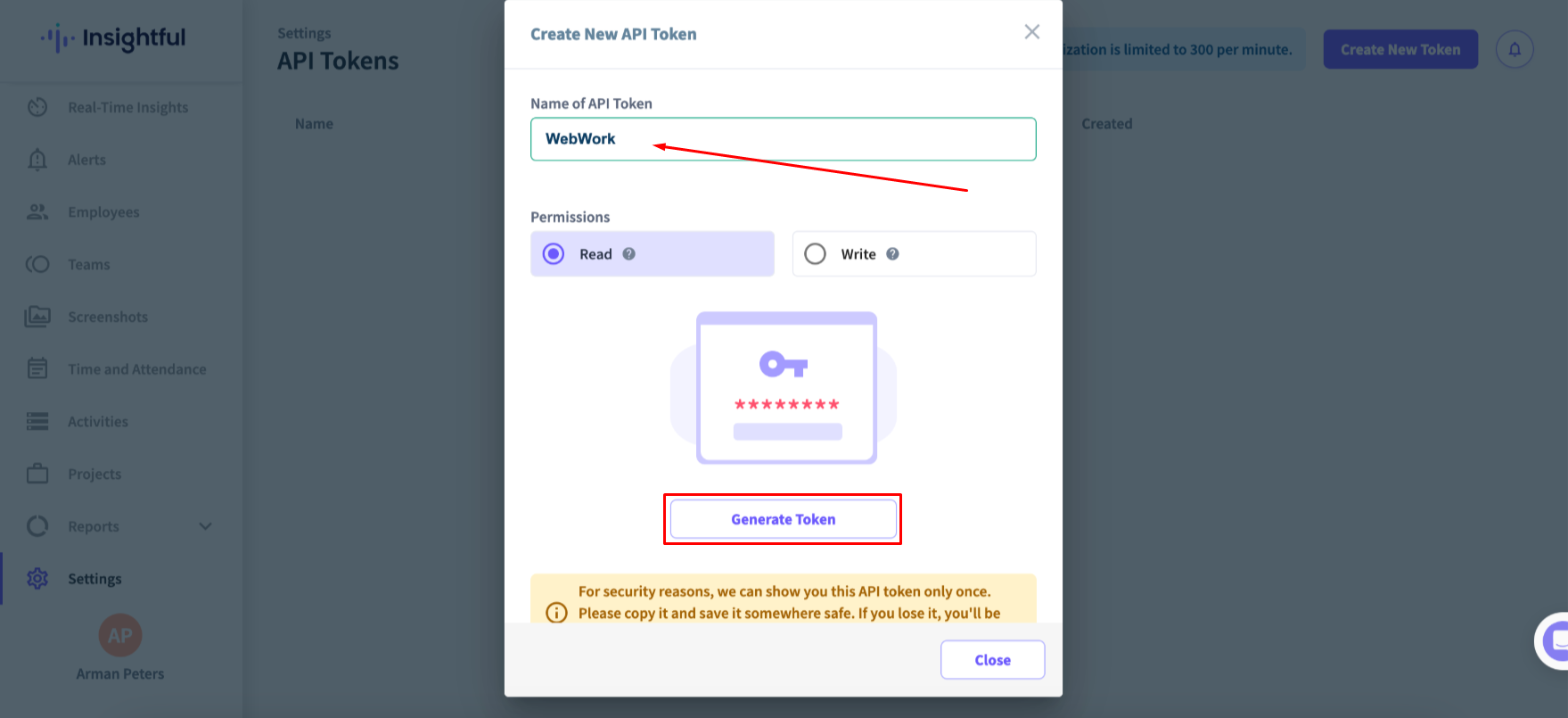
Name your token, set Permissions to Read, and click Generate Token.
-
Copy the generated token.
-
-
Return to WebWork and paste the token into the API field.
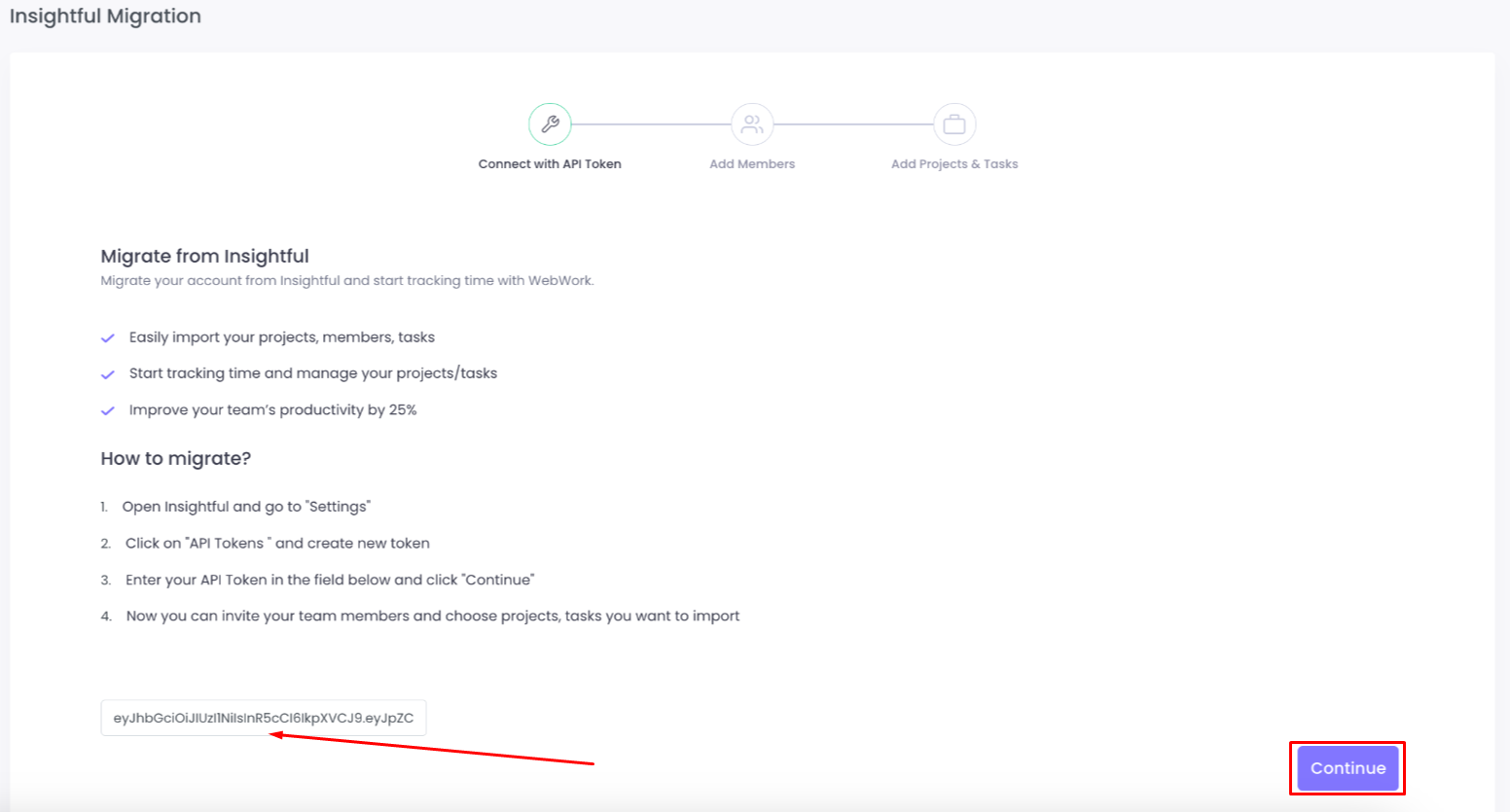
-
Select the members you want to invite to your workspace.
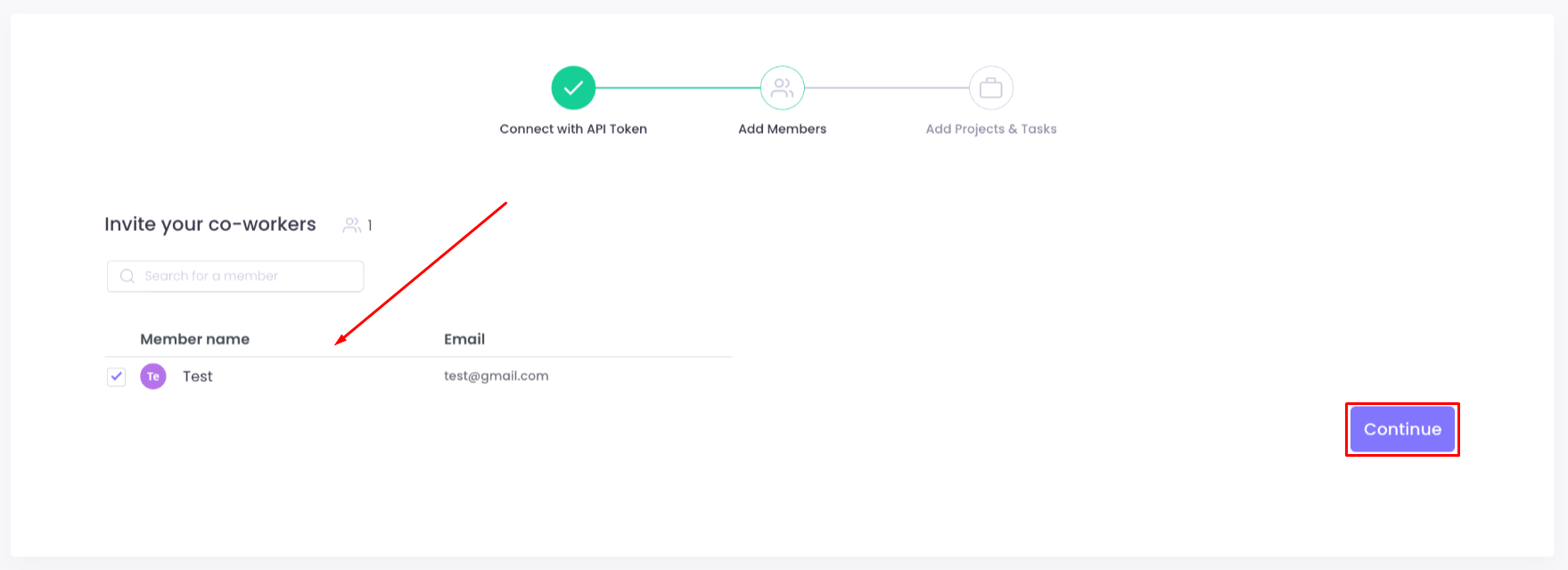
-
Choose whether to import:
-
Projects and Tasks
-
or Projects only
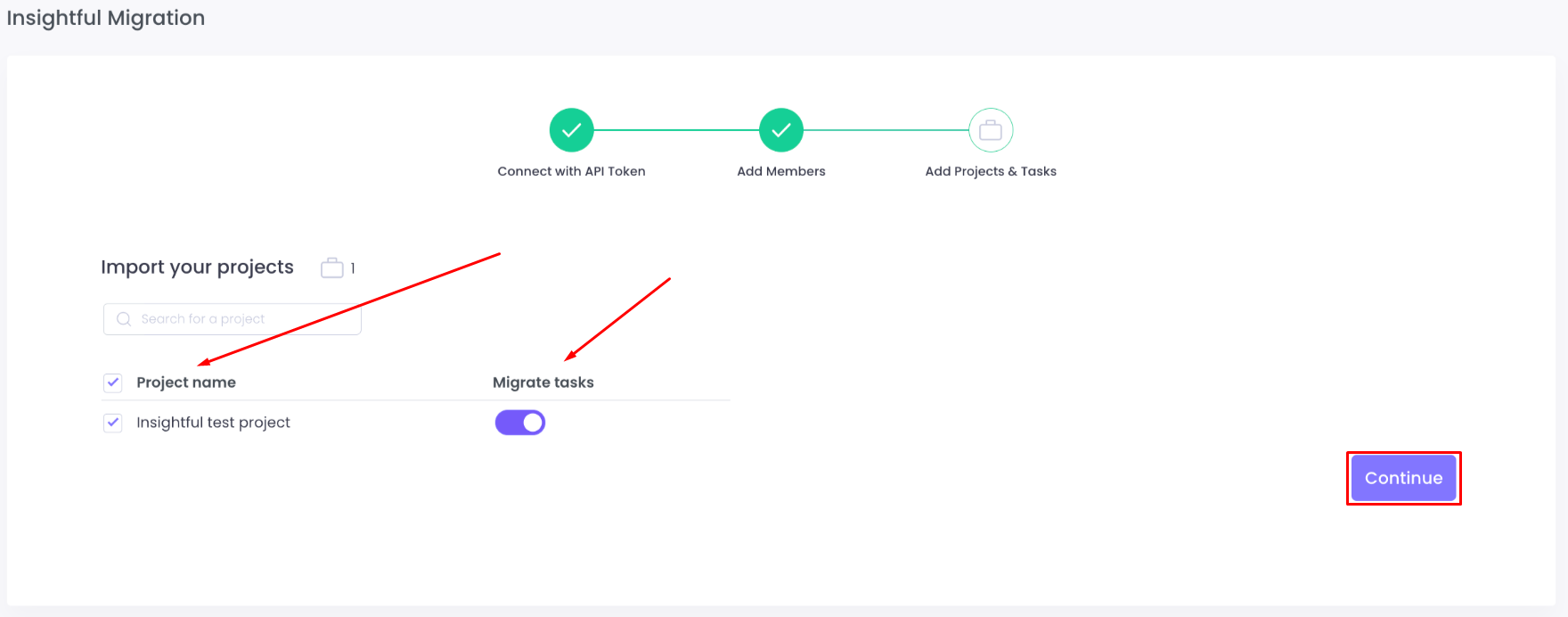
-
-
Once you’ve finished selecting what to import, you’ll see a summary of all migrated data once the process is complete.
After completing the steps, your members, projects, and tasks from Insightful will be available in your WebWork workspace.
Was this article helpful?
Thanks for your feedback.