
The Silent Tracker is a separate app from the regular Desktop Tracker and must only be installed on company-owned devices and company computers.
To download the Silent Tracker, follow these steps:
-
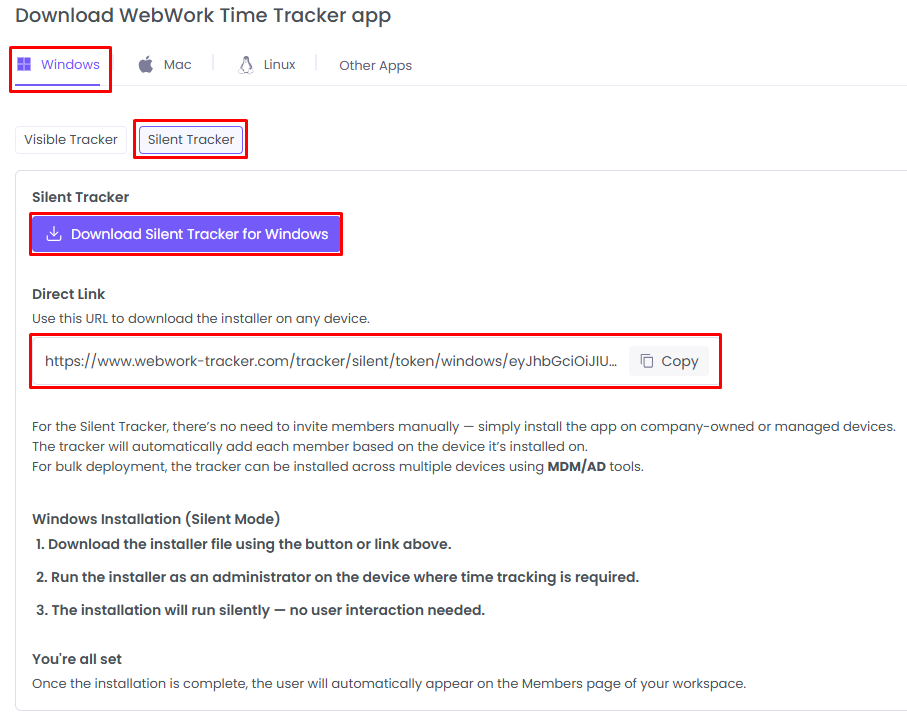
Go to the Downloads section in the top right-hand corner

Select the OS and download the tracker
-
Install the file
Once the download is complete, install the file on the device where time tracking is required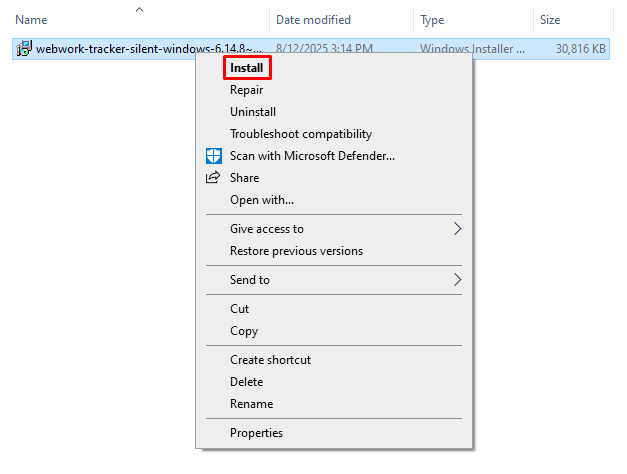
-
Complete the installation
Follow the installation prompts to finish the setup process.
That’s it. The Silent Tracker will generate users accounts based on the computer it is installed on. You can then rename the users to their actual names.
Was this article helpful?
Thanks for your feedback.