
The Activity Level in WebWork Time Tracker shows how actively a team member is working during tracked time. It is calculated based on keyboard strokes, mouse clicks and wheel scrolls, while the timer is running. Mouse movement alone does not count as activity.
-
Activity is displayed as a percentage (from 0% to 100%).
-
A higher percentage means the user was more active during that time period, while a lower percentage shows less activity.
-
Activity is usually measured in 10-minute intervals and can be viewed on screenshots, timesheets, and reports.
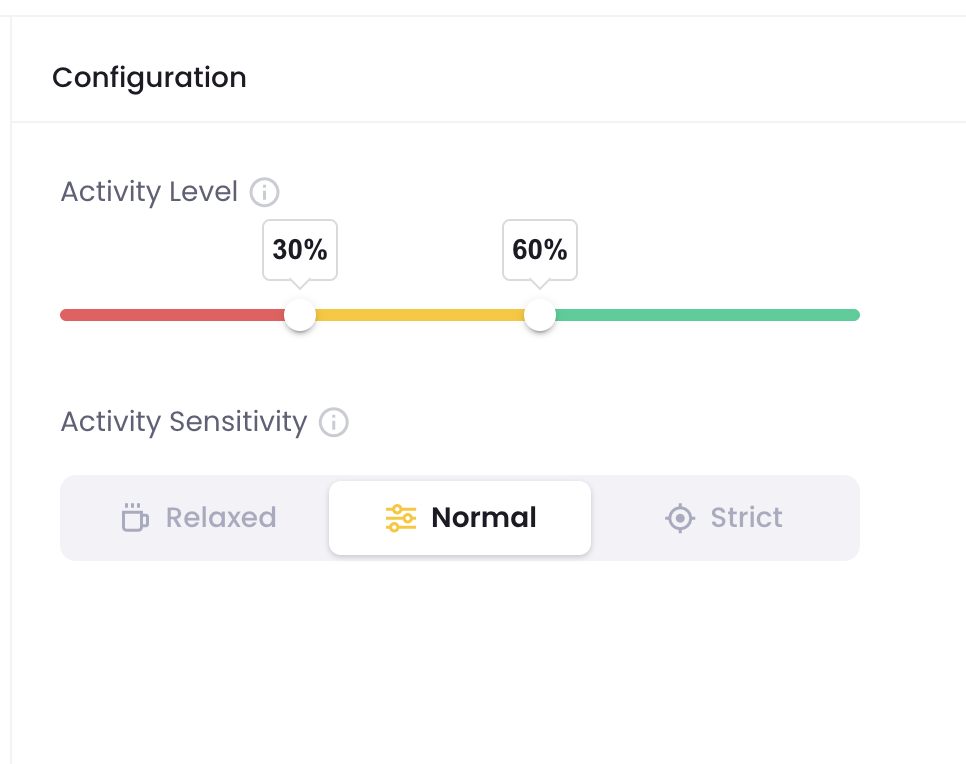
In the Activity Level settings, you can set the range of Activity Level and Activity Sensitivity. The Activity Level range shows red as low, yellow as medium, and green as high activity level.
Activity Sensitivity determines the required activity level for your workspace: Relaxed requires low activity input, Balanced requires a slightly higher input, and Strict requires a much higher input to be considered adequate.
By default, WebWork categorizes activity as Low (below 30%), Medium (30%–60%), and High (above 60%) based on percentages. However, every team works differently, so you can adjust these ranges and sensitivity in the Settings to better match your expectations.
Was this article helpful?
Thanks for your feedback.